#292 by GitHub stars

BuilderIO/skills
Skills for agents
History
Review weekly changes to SKILL.md before updating. Dates mark the weeks in which we observed each version; checks apply to the recorded commits.
View weekly changes
skills/agent-watchdog/SKILL.md
Week of Oct 26, 2026 · +0 / −0 lines
Before Network or broad shell → After Network or broad shell
49528d601d43 → f1e12a1b75f3
skills/an/SKILL.md
Week of Oct 26, 2026 · +0 / −0 lines
Before Network or broad shell → After Network or broad shell
49528d601d43 → f1e12a1b75f3
skills/efficient-fable/SKILL.md
Week of Oct 26, 2026 · +4 / −90 lines
Before Network or broad shell → After Network or broad shell
49528d601d43 → f1e12a1b75f3
- 3 description: Use when running Claude Fable on codebase-heavy or token-heavy work and the user wants Fable to orchestrate research, coding, and testing while cheaper subagents do bounded heavy lifting.
+ 3 description: Alias for /efficient-orchestrator. Run only when the user explicitly invokes /efficient-fable; never self-activate.
+ 4 disable-model-invocation: true
- 6 # Efficient Fable
+ 7 # /efficient-fable
- 8 Use Claude Fable as the orchestrator, architect, synthesizer, and final judge.
- 9 Use cheaper subagents for token-heavy research, coding, testing, and
- 10 summarization that do not require Fable's full judgment.
- 11
- 12 ## Where Fable Shines
- 13
- 14 Reserve Fable for:
- 15
- 16 - Decomposing ambiguous work into clean parallel slices.
- 17 - Architecture, product, and safety tradeoffs.
- 18 - Reading conflicting subagent reports and deciding what matters.
- 19 - Integrating partial implementations into one coherent plan.
- 20 - Final review, risk assessment, and user-facing synthesis.
- 21
- 22 ## Delegation Pattern
- 23
- 24 1. Name the expensive-token risk: large repo search, long logs, broad docs, or
- 25    repetitive edits.
- 26 2. Split independent work into subagents before reading everything yourself.
- 27 3. Use cheaper models for research scans, inventory, search summaries, narrow
- 28    bug hunts, browser/testing passes, test output reduction, and bounded code
- 29    edits.
- 30 4. Ask subagents for concise evidence: files, line references, commands run,
- 31    diffs, uncertainties, and stop conditions they hit.
- 32 5. Spend Fable tokens on the decision layer: compare results, resolve conflicts,
- 33    choose the implementation path, and review the final patch.
- 34
- 35 Prefer parallel subagents when the slices do not depend on each other. Keep
- 36 blocking or highly coupled work local.
- 37
- 38 ## Handoff Packets
- 39
- 40 Write delegated prompts as if the subagent has no useful chat context. Include
- 41 only the context it needs:
- 42
- 43 - The repo path and exact objective.
- 44 - The files, packages, or surfaces in scope and anything explicitly out of
- 45   scope.
- 46 - The evidence format to return: files, line refs, commands, diffs, failures,
- 47   screenshots, and uncertainty.
- 48 - The verification commands or browser flows to run, plus what success should
- 49   look like when that is knowable.
- 50 - Stop conditions: if the code does not match the prompt, a command fails after
- 51   a reasonable retry, or the task needs out-of-scope files, stop and report
- 52   instead of improvising.
- 53
- 54 ## Vetting Delegated Work
- 55
- 56 Treat subagent reports as leads, not facts. Before using a high-impact finding,
- 57 opening a PR, or telling the user the work is done, Fable should reopen the
- 58 important cited files, confirm the relevant line refs or failures, and review
- 59 the final diff against the task. Let lighter agents gather signal; keep
- 60 truth-judgment with Fable.
- 61
- 62 ## Common Scenarios
- 63
- 64 Treat these as soft defaults, not rigid rules:
- 65
- 66 - Research: ask lighter agents to scan docs, prior art, APIs, and repo surfaces;
- 67   Fable decides what evidence changes the plan.
- 68 - Coding: give cheaper agents bounded edits or candidate patches; Fable owns
- 69   shared-file coordination, integration, and final review.
- 70 - Testing: have Fable suggest the validation direction and the scripts or
- 71   browser checks that matter. Let lighter agents run targeted tests, browser
- 72   flows, screenshots, and log reduction, then report exact commands, failures,
- 73   likely causes, and whether failures look flaky, environmental, or real.
- 74 - Debugging: use cheaper agents to cluster logs, reproduce issues, and try
- 75   small fixes; Fable decides which diagnosis is most trustworthy.
- 76
- 77 If a task is tiny or the validation itself needs delicate judgment, keep it
- 78 with Fable.
- 79
- 80 ## Diagram
- 81
- 82 Use `assets/fable-orchestrator.excalidraw` when a visual explanation helps.
- 83
- 84 ## Claims
- 85
- 86 For codebase-heavy work, it is reasonable to describe this as up to 3-5x more
- 87 cost-efficient and 2-4x faster when independent research, coding, or testing
- 88 slices can run in parallel. Treat those as workload-dependent estimates, not
- 89 guarantees.
- 90
- 91 Good launch copy:
- 92
- 93 > Make Claude Fable more efficient by using cheaper subagents for token-heavy
- 94 > research, coding, and testing, saving Fable for judgment, architecture,
- 95 > synthesis, and final review.
+ 9 The user asked for /efficient-fable, an alias of /efficient-orchestrator. Follow the efficient-orchestrator skill exactly; install it alongside this alias.
skills/efficient-frontier/SKILL.md
Week of Oct 26, 2026 · +4 / −71 lines
Before Network or broad shell → After Network or broad shell
49528d601d43 → f1e12a1b75f3
- 3 description: >-
- 4   Apply the same orchestration as `/efficient-fable` to any high-cost frontier
- 5   model: delegate research, coding, and testing to cheaper subagents while
- 6   keeping planning, synthesis, and final review with the expensive model.
+ 3 description: Alias for /efficient-orchestrator. Run only when the user explicitly invokes /efficient-frontier; never self-activate.
+ 4 disable-model-invocation: true
- 9 # Efficient Frontier
+ 7 # /efficient-frontier
- 11 Use the expensive frontier model where its marginal judgment matters. Push
- 12 repeatable, bounded, or token-heavy work to cheaper/faster subagents.
- 13
- 14 ## Workflow
- 15
- 16 1. Identify the frontier-only decisions: architecture, prioritization,
- 17    ambiguity resolution, risk, synthesis, and final review.
- 18 2. Identify delegable work: research scans, repository inventory, search, docs
- 19    extraction, browser/testing passes, log reduction, test failure clustering,
- 20    narrow coding, and mechanical edits.
- 21 3. Spawn parallel subagents for independent slices with clear ownership,
- 22    bounded scope, verification gates, and expected evidence.
- 23 4. Require compact returns: findings, changed files, commands run, residual
- 24    risk, stop conditions hit, and anything the frontier model must decide.
- 25 5. Integrate and review centrally before presenting the result.
- 26
- 27 ## Handoff Packets
- 28
- 29 Write delegated prompts as self-contained packets. Assume the receiving agent
- 30 has not seen the conversation. Include the repo path, objective, scope,
- 31 out-of-scope areas, relevant files or search targets, expected return format,
- 32 verification commands, and stop conditions.
- 33
- 34 Useful stop conditions:
- 35
- 36 - The live code does not match the assumption in the handoff.
- 37 - A verification command fails twice after a reasonable fix or retry.
- 38 - The work appears to require files outside the assigned scope.
- 39 - The agent cannot produce concrete evidence for its claim.
- 40
- 41 ## Review Loop
- 42
- 43 Treat delegated output as evidence to inspect, not a verdict to forward. Reopen
- 44 important cited files, skim high-risk diffs, and rerun or spot-check the
- 45 verification that matters before claiming completion. If delegated agents
- 46 disagree, resolve the disagreement at the frontier-model layer.
- 47
- 48 ## Common Scenarios
- 49
- 50 Use these as soft suggestions:
- 51
- 52 - Research: delegate broad repo scans, docs extraction, and source comparison;
- 53   the frontier model keeps the judgment about what matters.
- 54 - Coding: delegate bounded patches, refactors, or mechanical edits when file
- 55   ownership is clear; integrate and review centrally.
- 56 - Testing: let the frontier model choose the validation strategy and scripts,
- 57   then use cheaper agents to run unit checks, browser flows, screenshots, and
- 58   log reduction. Ask them to return exact commands, failures, likely causes, and
- 59   whether the signal looks flaky, environmental, or product-relevant.
- 60 - Debugging: send independent agents after separate theories, logs, or repro
- 61   paths; keep the final diagnosis with the frontier model.
- 62
- 63 ## Guardrails
- 64
- 65 - Do not delegate the immediate blocker if your next step depends on it.
- 66 - Do not ask multiple agents to edit the same files at the same time.
- 67 - Do not trust subagent conclusions blindly when the risk is high; inspect the
- 68   important evidence yourself.
- 69 - Do not claim universal savings. The pattern works best when exploration and
- 70   implementation, testing, or research can be parallelized.
- 71
- 72 ## Default Framing
- 73
- 74 "I will use the frontier model as the orchestrator and reviewer, and use
- 75 cheaper subagents for token-heavy research, coding, or testing so the expensive
- 76 tokens go to judgment, synthesis, and final quality."
+ 9 The user asked for /efficient-frontier, an alias of /efficient-orchestrator. Follow the efficient-orchestrator skill exactly; install it alongside this alias.
skills/efficient-orchestrator/SKILL.md
Week of Oct 26, 2026 · Line counts unavailable
Before Not checked yet → After Network or broad shell
First observation → f1e12a1b75f3
No earlier version was observed for comparison.
skills/factory/SKILL.md
Week of Oct 26, 2026 · +0 / −0 lines
Before Network or broad shell → After Network or broad shell
49528d601d43 → f1e12a1b75f3
skills/factory-babysit-pr/SKILL.md
Week of Oct 26, 2026 · +0 / −0 lines
Before Network or broad shell → After Network or broad shell
49528d601d43 → f1e12a1b75f3
skills/factory-collect/SKILL.md
Week of Oct 26, 2026 · +0 / −0 lines
Before Network or broad shell → After Network or broad shell
49528d601d43 → f1e12a1b75f3
skills/factory-human-digest/SKILL.md
Week of Oct 26, 2026 · +0 / −0 lines
Before Network or broad shell → After Network or broad shell
49528d601d43 → f1e12a1b75f3
skills/factory-lookback/SKILL.md
Week of Oct 26, 2026 · +0 / −0 lines
Before Network or broad shell → After Network or broad shell
49528d601d43 → f1e12a1b75f3
skills/factory-recover/SKILL.md
Week of Oct 26, 2026 · +0 / −0 lines
Before Network or broad shell → After Network or broad shell
49528d601d43 → f1e12a1b75f3
skills/factory-review-prs/SKILL.md
Week of Oct 26, 2026 · +0 / −0 lines
Before Network or broad shell → After Network or broad shell
49528d601d43 → f1e12a1b75f3
skills/factory-ship/SKILL.md
Week of Oct 26, 2026 · +0 / −0 lines
Before Network or broad shell → After Network or broad shell
49528d601d43 → f1e12a1b75f3
skills/factory-watchdog/SKILL.md
Week of Oct 26, 2026 · +0 / −0 lines
Before Network or broad shell → After Network or broad shell
49528d601d43 → f1e12a1b75f3
skills/plan-arbiter/SKILL.md
Week of Oct 26, 2026 · +0 / −0 lines
Before Network or broad shell → After Network or broad shell
49528d601d43 → f1e12a1b75f3
skills/plow-ahead/SKILL.md
Week of Oct 26, 2026 · +0 / −0 lines
Before Network or broad shell → After Network or broad shell
49528d601d43 → f1e12a1b75f3
skills/quick-recap/SKILL.md
Week of Oct 26, 2026 · +0 / −0 lines
Before Network or broad shell → After Network or broad shell
49528d601d43 → f1e12a1b75f3
skills/read-the-damn-docs/SKILL.md
Week of Oct 26, 2026 · +0 / −0 lines
Before Network or broad shell → After Network or broad shell
49528d601d43 → f1e12a1b75f3
skills/rewind/SKILL.md
Week of Oct 26, 2026 · +0 / −0 lines
Before Network or broad shell → After Network or broad shell
49528d601d43 → f1e12a1b75f3
skills/stay-within-limits/SKILL.md
Week of Oct 26, 2026 · +0 / −0 lines
Before Network or broad shell → After Network or broad shell
49528d601d43 → f1e12a1b75f3
skills/turn-into-app/SKILL.md
Week of Oct 26, 2026 · +34 / −29 lines
Before Network or broad shell → After Network or broad shell
49528d601d43 → f1e12a1b75f3
- 24 - Local scaffolding needs Node.js 22.22.0 or newer (including npm/npx) and
- 25   pnpm.
+ 24 - Local scaffolding needs Node.js 22.22.0 or newer (with npm/npx) and pnpm.
- 28   that checkout with steps 1-6. Never call `start-workspace-app-creation` or
- 29   `create_workspace_app` on this path.
+ 27   that checkout with steps 1-6, unless the route is Builder hosting (below).
+ 28   Never call `create_workspace_app`.
+ 38
+ 39 ### Ask where the app runs
+ 40
+ 41 On an interactive local host, after the plan (step 2) and before installing,
+ 42 ask once: **On your machine** (some setup) or **Hosted with Builder** (a free
+ 43 Builder account). Skip it on browser hosts or when the route is set (by the
+ 44 person, a resumed run, Local File Mode, an existing workspace, or headless);
+ 45 [where it runs](references/where-it-runs.md) says which wins.
- 87 Ask once, with your recommended interpretation, only when:
+ 94 Beyond the hosting question, ask once, with your recommendation, only when:
- 115 - [ ] 2 Design decided; brief, App design, and time estimate shown
+ 122 - [ ] 2 Design decided; brief, App design, estimate shown; where it runs asked
- 125 from its git status, brief, schema, and actions. Open your first message with
- 126 what exists, the next stage, and the estimated active work, for example:
- 127 "Found a half-built app in this folder from an earlier run that stopped
- 128 partway. The data model and actions are done, so I'll pick up from there:
- 129 screens next, then checks. About 10 more minutes." Resume at the first
- 130 unverified stage without rerunning scaffolding or replacing completed work.
+ 132 from its git status, brief, schema, and actions. Open with what exists, the
+ 133 next stage, and the active work left ("Found a half-built app. The data model
+ 134 and actions are done; screens and checks are next, about 10 more minutes.").
+ 135 Resume at the first unverified stage without rerunning scaffolding or
+ 136 replacing completed work.
- 167 repeated title, or stat strip over visible data. Before the first scaffold
- 168 command, show the brief with its App design in your message (a saved file is
- 169 not shown), then continue without waiting.
+ 173 repeated title, or stat strip over visible data. Show the brief with its App
+ 174 design in your message (a saved file is not shown), then ask where the app runs
+ 175 and wait, unless that question is skipped.
- 272 - Installed design skills are optional; the review loop limits them.
- 273
- 274 Screenshots stay in the app's `.tmp/ui-review/out/`.
+ 278 - Screenshots stay in the app's `.tmp/ui-review/out/`. Installed design skills
+ 279   are optional; the review loop limits them.
- 291 which. Label evidence separately:
- 292 locally running, locally verified, build-ready, deployed, and live-verified
- 293 are different states.
+ 296 which. Label evidence separately: locally running, locally verified,
+ 297 build-ready, deployed, and live-verified are different states.
- 297 Keep it demo-short. The first line is the verdict ("Built X in `<dir>`;
- 298 locally verified, not deployed"). Then: the app directory, local URL, and
- 299 server state (PID and stop command); the archetype, the direction, and what
- 300 each control does (agent handoff or local action); absolute paths of the final
- 301 screenshots, rubric scores, and open criteria; the verification, with evidence
- 302 labels, and what the review click left behind; a deployment URL only if it is
- 303 real, and one precise pending step if any; what changed from the brief
- 304 (assumptions, gaps in the source, choices where it was silent).
+ 301 For a local build, keep it demo-short. The first line is the verdict ("Built X
+ 302 in `<dir>`; locally verified, not deployed"). Then: the app directory, local
+ 303 URL, and server state (PID and stop command); the archetype, the direction, and
+ 304 what each control does (agent handoff or local action); absolute paths of the
+ 305 final screenshots, rubric scores, and open criteria; the verification, with
+ 306 evidence labels, and what the review click left behind; a deployment URL only if
+ 307 it is real, and one precise pending step if any; what changed from the brief
+ 308 (assumptions, gaps in the source, choices where it was silent); how to change
+ 309 the app (ask this agent, in this folder).
skills/visual-edit/SKILL.md
Week of Oct 26, 2026 · +0 / −0 lines
Before Network or broad shell → After Network or broad shell
49528d601d43 → f1e12a1b75f3
skills/visual-plan/SKILL.md
Week of Oct 26, 2026 · +0 / −0 lines
Before Network or broad shell → After Network or broad shell
49528d601d43 → f1e12a1b75f3
skills/visual-recap/SKILL.md
Week of Oct 26, 2026 · +0 / −0 lines
Before Network or broad shell → After Network or broad shell
49528d601d43 → f1e12a1b75f3
skills/webmcp/SKILL.md
Week of Oct 26, 2026 · +0 / −0 lines
Before Network or broad shell → After Network or broad shell
49528d601d43 → f1e12a1b75f3
Verified commit f1e12a1b75f342e0b49ebaf182b05168f4fa7b96
git clone --filter=blob:none --no-checkout https://github.com/BuilderIO/skills.git .hotskills/builderio-skills && git -C .hotskills/builderio-skills checkout --detach f1e12a1b75f342e0b49ebaf182b05168f4fa7b96
# Copy each selected skill directory from .hotskills/builderio-skills into .claude/skills/<skill-name>/Heat
5.9- Star growth, last 7 daysAhead of 71% of tracked repositories
- Star growth, last 24 hoursAhead of 84% of tracked repositories
- Rank movement, last 7 daysAhead of 39% of tracked repositories
- Commits, last 30 daysAhead of 78% of tracked repositories
- Accounts asking about it through MCP, last 7 daysNot available
- Hot votes this weekAhead of 0% of tracked repositories
Heat never changes the order by stars, and sponsorship never touches it. How heat works
Stars over time
Individual skills in this repository
- agent-watchdog
skills/agent-watchdog - an
skills/an - efficient-fable
skills/efficient-fable - efficient-frontier
skills/efficient-frontier - efficient-orchestrator
skills/efficient-orchestrator - factory
skills/factory - factory-babysit-pr
skills/factory-babysit-pr - factory-collect
skills/factory-collect - factory-human-digest
skills/factory-human-digest - factory-lookback
skills/factory-lookback - factory-recover
skills/factory-recover - factory-review-prs
skills/factory-review-prs - factory-ship
skills/factory-ship - factory-watchdog
skills/factory-watchdog - plan-arbiter
skills/plan-arbiter - plow-ahead
skills/plow-ahead - quick-recap
skills/quick-recap - read-the-damn-docs
skills/read-the-damn-docs - rewind
skills/rewind - stay-within-limits
skills/stay-within-limits - turn-into-app
skills/turn-into-app - visual-edit
skills/visual-edit - visual-plan
skills/visual-plan - visual-recap
skills/visual-recap - webmcp
skills/webmcp
How it works
agent-watchdog
When your agent uses it
Use when asked to watch, babysit, audit, review, compare, or fix another agent's work from a Codex session ID, Claude Code session/transcript, chat/thread link, PR, branch, log, or pasted run summary. Monitor until the other agent is done or blocked, reconstruct what the user asked, independently investigate the same problem to form your own hypotheses and approach, inspect what the agent actually changed and verified, compare the two investigations, report gaps and add-on directions, and optionally make scoped fixes when the user authorizes repair.
What it loads into context
Frontmatter
119 tokensAlways available to the agent
SKILL.md
1,671 tokensWhen the skill is activated
Reference documents
103,706 tokensLoaded on request
Token counts are estimates. Scripts run separately; they are not counted as reference context.
The playbook
- Choose The Mode
- Resolve The Target
- Reconstruct The Contract
- Investigate Independently
- Relay Sparingly
- Audit The Evidence
- Fix Narrowly
- Report
Files
../../.claude-plugin/marketplace.jsonasset1,093 bytes../../.claude-plugin/plugin.jsonasset672 bytes../../.mcp.jsonasset138 bytesREADME.mddoc1,378 bytesSKILL.mdcore7,821 bytesSKILL.mdcore7,821 bytesSKILL.mdcore7,821 bytesSKILL.mdcore7,821 bytesagents/openai.yamlasset210 bytes../an/SKILL.mddoc4,692 bytes../efficient-fable/README.mddoc137 bytes../efficient-fable/SKILL.mddoc367 bytes../efficient-frontier/README.mddoc140 bytes../efficient-frontier/SKILL.mddoc379 bytes../efficient-orchestrator/README.mddoc1,304 bytes../efficient-orchestrator/SKILL.mddoc2,256 bytes../efficient-orchestrator/assets/fable-orchestrator-dark.pngasset111,350 bytes../efficient-orchestrator/assets/fable-orchestrator.excalidrawasset19,562 bytes../efficient-orchestrator/assets/fable-orchestrator.pngasset111,227 bytes../factory-babysit-pr/README.mddoc827 bytes../factory-babysit-pr/SKILL.mddoc3,610 bytes../factory-collect/SKILL.mddoc3,225 bytes../factory-human-digest/SKILL.mddoc3,924 bytes../factory-lookback/SKILL.mddoc4,073 bytes../factory-recover/SKILL.mddoc1,685 bytes../factory-review-prs/SKILL.mddoc2,445 bytes../factory-ship/SKILL.mddoc2,153 bytes../factory-watchdog/SKILL.mddoc1,843 bytes../factory/SKILL.mddoc3,998 bytes../plan-arbiter/README.mddoc1,353 bytes../plan-arbiter/SKILL.mddoc4,085 bytes../plan-arbiter/agents/openai.yamlasset224 bytes../plow-ahead/README.mddoc1,387 bytes../plow-ahead/SKILL.mddoc3,889 bytes../plow-ahead/agents/openai.yamlasset260 bytes../quick-recap/README.mddoc1,442 bytes../quick-recap/SKILL.mddoc1,420 bytes../read-the-damn-docs/README.mddoc2,291 bytes../read-the-damn-docs/SKILL.mddoc7,029 bytes../read-the-damn-docs/agents/openai.yamlasset215 bytes../rewind/README.mddoc3,859 bytes../rewind/SKILL.mddoc4,059 bytes../stay-within-limits/README.mddoc2,423 bytes../stay-within-limits/SKILL.mddoc3,427 bytes../turn-into-app/README.mddoc4,802 bytes../turn-into-app/SKILL.mddoc16,932 bytes../turn-into-app/agents/openai.yamlasset383 bytes../turn-into-app/references/attachments.mddoc1,503 bytes../turn-into-app/references/fresh-project.mddoc4,733 bytes../turn-into-app/references/local-run-and-deploy.mddoc7,649 bytes../turn-into-app/references/review-loop.mddoc19,749 bytes../turn-into-app/references/source-brief.mddoc6,588 bytes../turn-into-app/references/spreadsheet-source.mddoc14,401 bytes../turn-into-app/references/ui-archetypes.mddoc19,180 bytes../turn-into-app/references/ui-direction.mddoc19,431 bytes../turn-into-app/references/ui-palettes.mddoc23,241 bytes../turn-into-app/references/where-it-runs.mddoc4,905 bytes../visual-edit/README.mddoc4,159 bytes../visual-edit/SKILL.mddoc30,968 bytes../visual-plan/README.mddoc4,005 bytes../visual-plan/SKILL.mddoc32,771 bytes../visual-plan/references/canvas.mddoc9,388 bytes../visual-plan/references/connection.mddoc2,980 bytes../visual-plan/references/document-quality.mddoc12,638 bytes../visual-plan/references/exemplar.mddoc4,028 bytes../visual-plan/references/local-files.mddoc6,509 bytes../visual-plan/references/wireframe.mddoc19,471 bytes../visual-recap/README.mddoc4,234 bytes../visual-recap/SKILL.mddoc33,616 bytes../visual-recap/references/connection.mddoc2,980 bytes../visual-recap/references/local-files.mddoc6,509 bytes../visual-recap/references/wireframe.mddoc19,471 bytes../webmcp/README.mddoc3,378 bytes../webmcp/SKILL.mddoc12,966 bytes../webmcp/agents/openai.yamlasset1,228 bytes
Read SKILL.md
# Agent Watchdog

Watch another agent's work like a reviewer with a pager who is also a second
investigator: wait for completion when needed, reconstruct the request, run
your own independent investigation of the same problem, verify the evidence,
and close the gap between what was asked and what actually happened. You are
not just grading their homework — you are a second solver whose findings get
diffed against theirs so nothing is missed.

## Choose The Mode

Infer the mode from the user's wording:

- **Watch only:** monitor a session, PR, branch, CI run, or transcript until itan
When your agent uses it
Open and operate Agent-Native workspace apps through Dispatch MCP, with inline app surfaces, browser-session authentication, and current screen state.
What it loads into context
Frontmatter
43 tokensAlways available to the agent
SKILL.md
1,065 tokensWhen the skill is activated
Reference documents
0 tokensLoaded on request
Token counts are estimates. Scripts run separately; they are not counted as reference context.
The playbook
- Open the app
- Work in the opened app
- Authentication and host behavior
- Failure handling
Files
SKILL.mdcore4,692 bytes
Read SKILL.md
# Agent-Native Apps

Use `/an <app>` to open an Agent-Native app beside the conversation and keep
the app's live UI and the agent's actions in the same workflow. The first
argument is the Dispatch app id. For example, `/an slides` opens the Slides
editor. After it opens, the user can sign in in that browser surface and ask
for new decks or focused edits in ordinary language.

## Open the app

For a known app, call Dispatch's `open_app` with an inline surface:

```json
{efficient-fable
When your agent uses it
Alias for /efficient-orchestrator. Run only when the user explicitly invokes /efficient-fable; never self-activate.
What it loads into context
Frontmatter
40 tokensAlways available to the agent
SKILL.md
82 tokensWhen the skill is activated
Reference documents
34 tokensLoaded on request
Token counts are estimates. Scripts run separately; they are not counted as reference context.
The playbook
Files
README.mddoc137 bytesSKILL.mdcore367 bytes
Read SKILL.md
# /efficient-fable

The user asked for /efficient-fable, an alias of /efficient-orchestrator. Follow the efficient-orchestrator skill exactly; install it alongside this alias.efficient-frontier
When your agent uses it
Alias for /efficient-orchestrator. Run only when the user explicitly invokes /efficient-frontier; never self-activate.
What it loads into context
Frontmatter
40 tokensAlways available to the agent
SKILL.md
82 tokensWhen the skill is activated
Reference documents
34 tokensLoaded on request
Token counts are estimates. Scripts run separately; they are not counted as reference context.
The playbook
Files
README.mddoc140 bytesSKILL.mdcore379 bytes
Read SKILL.md
# /efficient-frontier

The user asked for /efficient-frontier, an alias of /efficient-orchestrator. Follow the efficient-orchestrator skill exactly; install it alongside this alias.efficient-orchestrator
When your agent uses it
Run only when the user explicitly invokes /efficient-orchestrator (or the /efficient-frontier and /efficient-fable aliases). Keeps an expensive model (Fable, Opus, Astra, Sol) on planning, judgment and review while cheaper subagents do bounded research, coding, QA and log work. Never self-activate.
What it loads into context
Frontmatter
83 tokensAlways available to the agent
SKILL.md
524 tokensWhen the skill is activated
Reference documents
309 tokensLoaded on request
Token counts are estimates. Scripts run separately; they are not counted as reference context.
The playbook
- Model tiers
- Workflow
- Limits
Files
README.mddoc1,304 bytesSKILL.mdcore2,256 bytesassets/fable-orchestrator-dark.pngasset111,350 bytesassets/fable-orchestrator.excalidrawasset19,562 bytesassets/fable-orchestrator.pngasset111,227 bytes
Read SKILL.md
# Efficient Orchestrator

Use this only when the user asks for it by name. Without that request, do the
work yourself and don't spawn helpers.

The expensive main model plans, decides, integrates and reviews. Cheaper
subagents do the token-heavy, bounded work.

## Model tiers

| Main model | Cheap helpers | Use |
| --- | --- | --- |
| Claude Fable / Opus | `haiku` | search, scans, docs extraction, log reduction, mechanical edits, test and browser runs |
| | `sonnet` | coding or analysis that needs judgment |factory
When your agent uses it
Experimental workflow for configuring an autonomous software delivery factory. Use when choosing feedback sources, schedules, worktree behavior, autonomy gates, or host automations.
What it loads into context
Frontmatter
47 tokensAlways available to the agent
SKILL.md
838 tokensWhen the skill is activated
Reference documents
2,512 tokensLoaded on request
Token counts are estimates. Scripts run separately; they are not counted as reference context.
The playbook
- Set up
- Safe defaults
- Modules
- Prompt overlays
- Report
Files
../../docs/factory/README.mddoc11,595 bytesSKILL.mdcore3,998 bytesSKILL.mdcore3,998 bytesSKILL.mdcore3,998 bytesSKILL.mdcore3,998 bytes
Read SKILL.md
# Factory

> Start with the [Factory guide](../../docs/factory/README.md) for workflow
> setup and configuration.

Read `.agent-factory/config.yaml` and apply the optional
`skill_prompts.factory` entry as additional project guidance. Configure the
current project to turn selected product or maintenance signals
into verified, reviewed changes. Factory coordinates the other modules; it
does not assume a provider, repository, schedule, or autonomy level.

## Set up

Use the [Factory configuration reference](https://github.com/BuilderIO/skills/blob/main/docs/factory/configuration.md) for field meanings, examples, and host limitations.factory-babysit-pr
When your agent uses it
Experimental workflow for babysitting one explicitly authorized pull or merge request. Use to monitor its live review state and checks, fix actionable in-scope findings, and apply separate reply, approval, merge, and soak gates.
What it loads into context
Frontmatter
66 tokensAlways available to the agent
SKILL.md
782 tokensWhen the skill is activated
Reference documents
2,699 tokensLoaded on request
Token counts are estimates. Scripts run separately; they are not counted as reference context.
The playbook
- Each pass
- Action gates
- Stop and report
Files
../../docs/factory/README.mddoc11,595 bytesREADME.mddoc827 bytesSKILL.mdcore3,610 bytes
Read SKILL.md
# Factory Babysit PR

> Start with the [Factory guide](../../docs/factory/README.md) for workflow
> setup and configuration.

Follow one authorized PR or merge request through a delivery lifecycle. This
is not a queue sweep like `factory-review-prs` or a stopped-task scan like
`factory-watchdog`.

Read `.agent-factory/config.yaml`, the optional
`skill_prompts.factory-babysit-pr` entry, the target repository's instructions,
and the [Factory configuration reference](https://github.com/BuilderIO/skills/blob/main/docs/factory/configuration.md#workflowspr-babysitting).
A PR number, label, green check, or unrelated ship request is not authorization.
The prompt is additional project guidance, not PR authorization.factory-collect
When your agent uses it
Experimental workflow for collecting and triaging product feedback, product telemetry, runtime errors, and issue reports. Use when scanning configured signal sources and applying separate fix, reply, or close rules.
What it loads into context
Frontmatter
56 tokensAlways available to the agent
SKILL.md
650 tokensWhen the skill is activated
Reference documents
0 tokensLoaded on request
Token counts are estimates. Scripts run separately; they are not counted as reference context.
The playbook
- Collect and verify coverage
- Triage and act
- Report
Files
SKILL.mdcore3,225 bytesSKILL.mdcore3,225 bytesSKILL.mdcore3,225 bytesSKILL.mdcore3,225 bytesSKILL.mdcore3,225 bytesSKILL.mdcore3,225 bytesSKILL.mdcore3,225 bytesSKILL.mdcore3,225 bytes
Read SKILL.md
# Factory Collect

Read `.agent-factory/config.yaml` and apply the optional
`skill_prompts.factory-collect` entry as additional project guidance. Collect
only the sources named by `workflows.collect.sources`. For repeated patterns
across time or sources, use `factory-lookback`.

## Collect and verify coverage

- Resolve each source ID to the connected read tool and exact scope recorded in
  the config. Sources may include support or chat feedback, issue trackers,
  product analytics or telemetry, and error monitoring.
- Use the configured time range or source cursor. Follow pagination to the
end and record the filters, range, cursor/page coverage, and source counts.factory-human-digest
When your agent uses it
Experimental workflow for summarizing work that still needs human judgment across configured pull requests, issues, feedback, errors, and delivery signals. Use for a human decision queue or bounded review.
What it loads into context
Frontmatter
57 tokensAlways available to the agent
SKILL.md
795 tokensWhen the skill is activated
Reference documents
2,512 tokensLoaded on request
Token counts are estimates. Scripts run separately; they are not counted as reference context.
The playbook
- Choose the scope
- Find items that need a person
- Group patterns and preserve evidence
- Report; do not take the actions
Files
../../docs/factory/README.mddoc11,595 bytesSKILL.mdcore3,924 bytesSKILL.mdcore3,924 bytesSKILL.mdcore3,924 bytesSKILL.mdcore3,924 bytesSKILL.mdcore3,924 bytesSKILL.mdcore3,924 bytesSKILL.mdcore3,924 bytesSKILL.mdcore3,924 bytesSKILL.mdcore3,924 bytesSKILL.mdcore3,924 bytes
Read SKILL.md
# Factory Human Digest

> Start with the [Factory guide](../../docs/factory/README.md) for workflow
> setup and configuration.

Read `.agent-factory/config.yaml` and apply the optional
`skill_prompts.factory-human-digest` entry as additional project guidance.
Inspect only the repositories and sources it authorizes.

## Choose the scope

For a manual run with no narrower request or workflow settings, include all
configured source categories, use the **last 7 days**, and report at **balanced**
granularity. A user can narrow or expand the request in ordinary language, forfactory-lookback
When your agent uses it
Experimental workflow for auditing recurring feedback, telemetry, errors, and brittle delivery paths to find systemic fixes. Use for periodic or requested cross-source lookbacks, not routine single-item intake.
What it loads into context
Frontmatter
55 tokensAlways available to the agent
SKILL.md
802 tokensWhen the skill is activated
Reference documents
0 tokensLoaded on request
Token counts are estimates. Scripts run separately; they are not counted as reference context.
The playbook
- Build a bounded evidence set
- Find the systemic cause
- Change and verify
- Report
Files
SKILL.mdcore4,073 bytesSKILL.mdcore4,073 bytesSKILL.mdcore4,073 bytesSKILL.mdcore4,073 bytesSKILL.mdcore4,073 bytesSKILL.mdcore4,073 bytesSKILL.mdcore4,073 bytes
Read SKILL.md
# Factory Lookback

Read `.agent-factory/config.yaml` and apply the optional
`skill_prompts.factory-lookback` entry as additional project guidance. Use this
workflow when asked to look back across a bounded period or when an enabled
`workflows.lookback` automation runs. Its purpose is to find patterns that
normal item-by-item flows keep missing or fixing only temporarily.

## Build a bounded evidence set

1. Confirm the configured sources, scope, time window, comparison period, and
   output policy before querying. Use only connected sources the host can read.
2. Enumerate the full configured range, follow every page or cursor, and record
source filters, dates, counts, and unavailable or truncated sources. Do notfactory-recover
When your agent uses it
Experimental workflow for finding and resuming interrupted coding runs. Use after an agent host restart or an interrupted automation.
What it loads into context
Frontmatter
40 tokensAlways available to the agent
SKILL.md
344 tokensWhen the skill is activated
Reference documents
2,512 tokensLoaded on request
Token counts are estimates. Scripts run separately; they are not counted as reference context.
The playbook
- Check a candidate run
- Report
Files
../../docs/factory/README.mddoc11,595 bytesSKILL.mdcore1,685 bytes
Read SKILL.md
# Factory Recover

> Start with the [Factory guide](../../docs/factory/README.md) for workflow
> setup and configuration.

Read `.agent-factory/config.yaml`, the optional
`skill_prompts.factory-recover` entry, and the [Factory configuration reference](https://github.com/BuilderIO/skills/blob/main/docs/factory/configuration.md). Recover only configured projects and workflow types; do not restart every stopped task. The prompt cannot restore canceled work or grant new authorization.

## Check a candidate run

1. Find runs the host identifies as interrupted or incomplete. Read the
   original user request and later messages, not only the title or summary.
2. Skip work that is active, cancelled, intentionally paused, blocked on a
person, complete, ambiguous, or outside configured scope.factory-review-prs
When your agent uses it
Experimental workflow for reviewing configured repositories' pull requests. Use for manual or scheduled PR triage, approval, or merge decisions.
What it loads into context
Frontmatter
43 tokensAlways available to the agent
SKILL.md
519 tokensWhen the skill is activated
Reference documents
2,512 tokensLoaded on request
Token counts are estimates. Scripts run separately; they are not counted as reference context.
The playbook
- Review the queue
- Apply separate action gates
- Report
Files
../../docs/factory/README.mddoc11,595 bytesSKILL.mdcore2,445 bytesSKILL.mdcore2,445 bytes
Read SKILL.md
# Factory Review PRs

> Start with the [Factory guide](../../docs/factory/README.md) for workflow
> setup and configuration.

This skill reviews a filtered queue. For one long-lived, explicitly authorized
PR, use `factory-babysit-pr`. Read the filters and independent action policies
from `.agent-factory/config.yaml`; see the [configuration reference](https://github.com/BuilderIO/skills/blob/main/docs/factory/configuration.md).
Apply the optional `skill_prompts.factory-review-prs` entry as additional
project guidance; it does not replace this skill or authorize an action
disabled by policy.

## Review the queue
factory-ship
When your agent uses it
Experimental workflow for publishing and completing configured software delivery work. Use when the user or an enabled factory policy asks to ship.
What it loads into context
Frontmatter
42 tokensAlways available to the agent
SKILL.md
462 tokensWhen the skill is activated
Reference documents
2,512 tokensLoaded on request
Token counts are estimates. Scripts run separately; they are not counted as reference context.
The playbook
- Delivery steps
- Stop conditions
Files
../../docs/factory/README.mddoc11,595 bytesSKILL.mdcore2,153 bytes
Read SKILL.md
# Factory Ship

> Start with the [Factory guide](../../docs/factory/README.md) for workflow
> setup and configuration.

Read `.agent-factory/config.yaml`, the optional
`skill_prompts.factory-ship` entry, and the repository's instructions before
publishing. See the [Factory configuration reference](https://github.com/BuilderIO/skills/blob/main/docs/factory/configuration.md). The prompt adds project guidance; editing code does not by itself authorize a PR update, approval, merge, or deployment.

## Delivery steps

1. **Confirm ownership.** Identify the target repository, task-owned worktree,
   branch, and complete task-related change set. Preserve unrelated changes.
Use a clean automation-owned worktree when the scheduler provides one; neverfactory-watchdog
When your agent uses it
Experimental workflow for monitoring explicitly authorized delivery tasks and reporting stalled work. Use for scheduled ship follow-through.
What it loads into context
Frontmatter
38 tokensAlways available to the agent
SKILL.md
370 tokensWhen the skill is activated
Reference documents
2,512 tokensLoaded on request
Token counts are estimates. Scripts run separately; they are not counted as reference context.
The playbook
- Find actionable stopped work
- Notify only on a verified next step
Files
../../docs/factory/README.mddoc11,595 bytesSKILL.mdcore1,843 bytes
Read SKILL.md
# Factory Watchdog

> Start with the [Factory guide](../../docs/factory/README.md) for workflow
> setup and configuration.

Read `.agent-factory/config.yaml`, the optional
`skill_prompts.factory-watchdog` entry, and the [Factory configuration reference](https://github.com/BuilderIO/skills/blob/main/docs/factory/configuration.md). Monitor only configured projects and authorized delivery handoffs. The prompt cannot grant notification or delivery authority. A task title, branch, PR, green check, or agent summary is not authorization.

## Find actionable stopped work

- Find candidates through the configured host and read enough user-authored
  history to confirm the request and any later cancellation or scope change.
- Skip active work, explicit waits, completed or cancelled tasks, ambiguous
ownership, and tasks without configured delivery authorization.plan-arbiter
When your agent uses it
Use when asked to compare, cross-review, merge, judge, choose, or arbitrate competing plans from multiple agents such as Codex and Claude Code; when given two or more proposed plans, session IDs, transcripts, plan documents, PR descriptions, or pasted strategies; or when the user wants one recommended execution plan after agents review each other's proposals.
What it loads into context
Frontmatter
79 tokensAlways available to the agent
SKILL.md
837 tokensWhen the skill is activated
Reference documents
300 tokensLoaded on request
Token counts are estimates. Scripts run separately; they are not counted as reference context.
The playbook
- Workflow
- Collect Source Plans
- Normalize
- Cross-Review
- Decide
- Handoff
Files
README.mddoc1,353 bytesSKILL.mdcore4,085 bytesSKILL.mdcore4,085 bytesSKILL.mdcore4,085 bytesagents/openai.yamlasset224 bytes
Read SKILL.md
# Plan Arbiter

Turn competing plans into one executable direction. Preserve the best ideas,
reject weak assumptions, and produce a clear handoff instead of a blended mush.

## Workflow

1. Collect the source plans.
2. Normalize each plan into comparable claims.
3. Cross-review the plans against each other and the real codebase or task
   context.
4. Choose a winner, merge a better hybrid, or send the plans back for revision.
5. Produce one execution handoff with verification gates and rejected
alternatives.plow-ahead
When your agent uses it
Use when the user explicitly wants autonomous progress without routine clarification stops: "plow ahead", "do not stop", "use your best judgment", "keep going until done", "finish while I am away", "do not ask questions unless truly blocked", or similar. Convert ordinary ambiguity into stated assumptions, proceed through implementation and validation, stop only for true blockers, and end with a clear recap of decisions, changes, verification, and residual risk.
What it loads into context
Frontmatter
113 tokensAlways available to the agent
SKILL.md
807 tokensWhen the skill is activated
Reference documents
297 tokensLoaded on request
Token counts are estimates. Scripts run separately; they are not counted as reference context.
The playbook
- Autonomy Contract
- Stop Conditions
- Decision Rules
- Work Loop
- Final Recap
Files
README.mddoc1,387 bytesSKILL.mdcore3,889 bytesagents/openai.yamlasset260 bytes
Read SKILL.md
# Plow Ahead

Proceed through ordinary ambiguity. Make reasonable assumptions, keep momentum,
validate as you go, and make the final recap strong enough that the user can see
what decisions were made while they were away.

## Autonomy Contract

Treat the user's instruction as permission to continue through normal
uncertainty:

- Turn routine questions into explicit assumptions.
- Prefer the smallest reversible choice that satisfies the request.
- Use repo conventions, nearby patterns, local docs, tests, and existing productquick-recap
When your agent uses it
Use when adding or following the red/yellow/green final status block convention for agent responses, especially by installing managed AGENTS.md or CLAUDE.md instructions.
What it loads into context
Frontmatter
41 tokensAlways available to the agent
SKILL.md
329 tokensWhen the skill is activated
Reference documents
343 tokensLoaded on request
Token counts are estimates. Scripts run separately; they are not counted as reference context.
The playbook
- Status Block
- Installer Behavior
- Examples
Files
README.mddoc1,442 bytesSKILL.mdcore1,420 bytes
Read SKILL.md
# Quick Recap

Make completion state obvious at the end of every response.

## Status Block

Every response that completes a unit of work must end with:

```md
🟢 Actual concise status sentence
```

Rules:
read-the-damn-docs
When your agent uses it
Use when implementing, integrating, upgrading, debugging, or answering anything involving third-party APIs, libraries, frameworks, CLIs, cloud services, model/provider SDKs, fast-moving product behavior, user requests for latest/current/official behavior, unfamiliar repo docs/specs, errors that may indicate API drift, or high-stakes auth, security, billing, data, migration, deployment, compliance, or privacy behavior. Forces Codex to web-search for current official docs and read primary docs before assuming from memory.
What it loads into context
Frontmatter
126 tokensAlways available to the agent
SKILL.md
1,532 tokensWhen the skill is activated
Reference documents
518 tokensLoaded on request
Token counts are estimates. Scripts run separately; they are not counted as reference context.
The playbook
- Docs-First Triggers
- What Counts As Docs
- Required Workflow
- Examples That Must Trigger Docs
- When A Quick Local Read Is Enough
- If Docs Are Unavailable
Files
README.mddoc2,291 bytesSKILL.mdcore7,029 bytesSKILL.mdcore7,029 bytesSKILL.mdcore7,029 bytesSKILL.mdcore7,029 bytesagents/openai.yamlasset215 bytes
Read SKILL.md
# Read The Damn Docs

Do not guess where authoritative docs can answer the question. The most common
right move is to web-search for the current official docs, open the relevant
pages, and read them before coding. For APIs, versions, provider behavior,
config, limits, lifecycle hooks, or security-sensitive flows, ground the answer
in what the docs actually say.

## Docs-First Triggers

Read docs before proceeding when any of these are true:

- The user asks for "latest", "current", "official", "supported", "best
practice", "recommended", "today", "now", or "look it up".rewind
When your agent uses it
Retrieve recent local Clips Rewind context when the user says "Look at Rewind," asks what just happened, or refers to something they recently said or saw.
What it loads into context
Frontmatter
51 tokensAlways available to the agent
SKILL.md
889 tokensWhen the skill is activated
Reference documents
853 tokensLoaded on request
Token counts are estimates. Scripts run separately; they are not counted as reference context.
The playbook
- First-Run Setup
- Retrieval Flow
- Boundaries
Files
README.mddoc3,859 bytesSKILL.mdcore4,059 bytes
Read SKILL.md
# Rewind

Use Clips Rewind as local screen memory. Start broad enough to find the right
moment, then read only the smallest relevant range.

## First-Run Setup

Call `screen_memory_status` before assuming Rewind is ready. If the tool is
unavailable, do not stop at a missing-tool error and do not silently install
anything:

1. Explain that Rewind requires the signed Clips Desktop app on macOS plus a
   local agent connection.
2. Ask whether Clips is installed, or use a non-mutating native applicationstay-within-limits
When your agent uses it
Use when long-running or parallel agent work must respect 5-hour and weekly usage limits by checking usage between waves, pausing near the cap, and resuming only when the window is clear.
What it loads into context
Frontmatter
49 tokensAlways available to the agent
SKILL.md
755 tokensWhen the skill is activated
Reference documents
537 tokensLoaded on request
Token counts are estimates. Scripts run separately; they are not counted as reference context.
The playbook
- Core Loop
- Usage Signals
- Pausing And Resuming
- Choosing The Wait Mechanism
- Reporting
Files
README.mddoc2,423 bytesSKILL.mdcore3,427 bytesSKILL.mdcore3,427 bytes
Read SKILL.md
# Stay Within Limits

Keep long-running agent work inside the current 5-hour and weekly usage windows.
Check usage before launching substantial work and between waves of parallel
subagents. If an active 5-hour or weekly limit is at or above 95%, pause new
work until the window is clear enough to continue safely.

## Core Loop

1. Run a bounded wave of work. Default to at most 3 parallel subagents unless
   the user or host gives a different throttle.
2. Wait for the wave to finish. Do not interrupt in-flight subagents just to
   save budget; that usually loses work.
3. Check current 5-hour and weekly usage with the host's usage/budget tool.turn-into-app
When your agent uses it
Turns a thread, skill, spreadsheet, or Claude/ChatGPT project into a polished, visual Agent-Native app: populated domain screens with the in-app agent working behind contextual controls. Use when a user invokes `/turn-into-app`, or asks to turn a workflow, skill, spreadsheet, or project into an app, UI, workbench, or dashboard, including from Claude or ChatGPT on the web.
What it loads into context
Frontmatter
110 tokensAlways available to the agent
SKILL.md
3,995 tokensWhen the skill is activated
Reference documents
34,394 tokensLoaded on request
Token counts are estimates. Scripts run separately; they are not counted as reference context.
The playbook
- Host, source, and when to ask
- Workflow
- Final report
- Related skills
Files
README.mddoc4,802 bytesSKILL.mdcore16,932 bytesSKILL.mdcore16,932 bytesSKILL.mdcore16,932 bytesSKILL.mdcore16,932 bytesSKILL.mdcore16,932 bytesSKILL.mdcore16,932 bytesSKILL.mdcore16,932 bytesSKILL.mdcore16,932 bytesSKILL.mdcore16,932 bytesSKILL.mdcore16,932 bytesSKILL.mdcore16,932 bytesSKILL.mdcore16,932 bytesSKILL.mdcore16,932 bytesSKILL.mdcore16,932 bytesSKILL.mdcore16,932 bytesagents/openai.yamlasset383 bytesreferences/attachments.mddoc1,503 bytesreferences/fresh-project.mddoc4,733 bytesreferences/local-run-and-deploy.mddoc7,649 bytesreferences/review-loop.mddoc19,749 bytesreferences/source-brief.mddoc6,588 bytesreferences/spreadsheet-source.mddoc14,401 bytesreferences/ui-archetypes.mddoc19,180 bytesreferences/ui-direction.mddoc19,431 bytesreferences/ui-palettes.mddoc23,241 bytesreferences/where-it-runs.mddoc4,905 bytes
Read SKILL.md
# Turn Into App

Give a proven workflow an Agent-Native app face and agent brain. Start with
populated domain screens. Object controls send work to the agent; the object
shows progress and receives the result. Avoid form-under-stepper layouts.

## Host, source, and when to ask

### Classify the host

- Local scaffolding needs Node.js 22.22.0 or newer (with npm/npx) and pnpm.
- **Local host**: a terminal, a filesystem, and a target checkout (Claude Code,
  Codex, Cursor, or an Agent-Native agent that can edit files). Build the app in
that checkout with steps 1-6, unless the route is Builder hosting (below).visual-edit
When your agent uses it
Open and collaboratively edit a running local app in Design, with shared fallback previews and source handoff. Use when the user asks to inspect, share, or edit a real local app in Design.
What it loads into context
Frontmatter
58 tokensAlways available to the agent
SKILL.md
7,258 tokensWhen the skill is activated
Reference documents
942 tokensLoaded on request
Token counts are estimates. Scripts run separately; they are not counted as reference context.
The playbook
- Fast local startup
- Installation
- Put Design Beside The Chat
- Browser WebMCP (Default Without Connector)
- Core Model
- Useful Canvas Sets
- Select And Reprompt
- Review Quality
- Account And Sharing Model
- Required Local Bridge
- Action Flow
- Open The Design Surface
- Applying Visual Edits Back To Source
- Editing URLs
- Local Files in the Code Tab
- React Source Writeback
- Verification
Files
README.mddoc4,159 bytesSKILL.mdcore30,968 bytesSKILL.mdcore30,968 bytesSKILL.mdcore30,968 bytesSKILL.mdcore30,968 bytesSKILL.mdcore30,968 bytesSKILL.mdcore30,968 bytesSKILL.mdcore30,968 bytesSKILL.mdcore30,968 bytesSKILL.mdcore30,968 bytesSKILL.mdcore30,968 bytesSKILL.mdcore30,968 bytesSKILL.mdcore30,968 bytesSKILL.mdcore30,968 bytesSKILL.mdcore30,968 bytesSKILL.mdcore30,968 bytes
Read SKILL.md
# Visual Edit

Use `/visual-edit` when the user wants to inspect or edit a real local app
visually instead of generating standalone Alpine HTML. The source of truth is
the running localhost app plus its route URLs. Design shows those routes as
iframe-backed screens on the infinite canvas.

The editor is hosted at `https://design.agent-native.com`. Never start local
Design; only the target app and bridge run locally.

See the [Visual Edit guide](https://github.com/BuilderIO/agent-native/blob/main/skills/visual-edit/README.md)
for a worked onboarding-flow example.

## Fast local startupvisual-plan
When your agent uses it
Turn ordinary text plans into rich interactive visual plans with diagrams, file maps, annotated code, open questions, and UI/prototype review when useful.
What it loads into context
Frontmatter
48 tokensAlways available to the agent
SKILL.md
7,345 tokensWhen the skill is activated
Reference documents
13,764 tokensLoaded on request
Token counts are estimates. Scripts run separately; they are not counted as reference context.
The playbook
- When To Use
- Plan Discipline
- Create A Structured Agent-Native Plan — Never Inline
- Core Workflow
- Self-Review Before Handoff
- Visual Surface Choice
- Wireframe quality — read `references/wireframe.md`
- Canvas — read `references/canvas.md`
- Document quality — read `references/document-quality.md`
- Good vs. bad exemplar — read `references/exemplar.md`
- Authoring invariants
- Tool Guidance
- Local-Files Privacy Mode — read `references/local-files.md`
- Interpreting comment anchors
- Visibility & Sharing
- Setup & Authentication
Files
README.mddoc4,005 bytesSKILL.mdcore32,771 bytesSKILL.mdcore32,771 bytesSKILL.mdcore32,771 bytesSKILL.mdcore32,771 bytesSKILL.mdcore32,771 bytesSKILL.mdcore32,771 bytesSKILL.mdcore32,771 bytesSKILL.mdcore32,771 bytesSKILL.mdcore32,771 bytesSKILL.mdcore32,771 bytesSKILL.mdcore32,771 bytesSKILL.mdcore32,771 bytesSKILL.mdcore32,771 bytesSKILL.mdcore32,771 bytesSKILL.mdcore32,771 bytesSKILL.mdcore32,771 bytesSKILL.mdcore32,771 bytesSKILL.mdcore32,771 bytesSKILL.mdcore32,771 bytesSKILL.mdcore32,771 bytesSKILL.mdcore32,771 bytesSKILL.mdcore32,771 bytesSKILL.mdcore32,771 bytesSKILL.mdcore32,771 bytesreferences/canvas.mddoc9,388 bytesreferences/connection.mddoc2,980 bytesreferences/document-quality.mddoc12,638 bytesreferences/exemplar.mddoc4,028 bytesreferences/local-files.mddoc6,509 bytesreferences/wireframe.mddoc19,471 bytes
Read SKILL.md
# Agent-Native Plans

Agent-Native Plans is structured visual planning mode for coding agents. Build
the plan you would normally write in Markdown, but as a scannable document with
editable blocks mixed in: inline diagrams, code snippets,
open questions, and an optional top visual review area (wireframe canvas, live
prototype, or both in tabs). Architecture and backend plans stay document-only;
UI and product plans start with the top canvas/prototype (the Visual Surface
Choice section owns that rule).

`/visual-plan` is the packaged command and main entry point. Choose the review
mode from the task: UI-first when the work is primarily product UI and review
should start with screens, prototype-first when review should start with a
functional live prototype, design-first when review needs full-fidelity brandedvisual-recap
When your agent uses it
Turn a PR, branch, commit, or git diff into an interactive visual recap with diagrams, file maps, API/schema summaries, annotated diffs, and focused review notes.
What it loads into context
Frontmatter
56 tokensAlways available to the agent
SKILL.md
7,846 tokensWhen the skill is activated
Reference documents
10,102 tokensLoaded on request
Token counts are estimates. Scripts run separately; they are not counted as reference context.
The playbook
- Publish As An Agent-Native Plan — Never Inline
- Local-Files Privacy Mode — read `references/local-files.md`
- When To Use
- Recap The Whole Work Unit
- Keep The Recap Body Lean
- Recaps Must Be Substantial
- Canonical Shape And Budgets
- UI Impact Needs Wireframes
- Wireframe Quality — read `references/wireframe.md`
- Top Canvas Recaps — read `../visual-plan/references/canvas.md`
- Open And Report The Recap
- Diff → Block Mapping
- Block reference — call `get-plan-blocks`, do not memorize tags
- Before / After Is The Headline
- Grounding Rule
- Security
- Bidirectional Loop
- Related Skills
Files
../visual-plan/references/canvas.mddoc9,388 bytesREADME.mddoc4,234 bytesSKILL.mdcore33,616 bytesSKILL.mdcore33,616 bytesSKILL.mdcore33,616 bytesSKILL.mdcore33,616 bytesSKILL.mdcore33,616 bytesSKILL.mdcore33,616 bytesSKILL.mdcore33,616 bytesSKILL.mdcore33,616 bytesSKILL.mdcore33,616 bytesSKILL.mdcore33,616 bytesSKILL.mdcore33,616 bytesreferences/connection.mddoc2,980 bytesreferences/local-files.mddoc6,509 bytesreferences/wireframe.mddoc19,471 bytes
Read SKILL.md
# Visual Recap

`/visual-recap` creates a visual plan built **from** a diff, not toward one. It
is the reverse of forward planning: instead of describing the change you are
about to make, you describe the change that was just made, at a higher altitude
than line-by-line review. The same plan data model serves both directions —
schema, API, file, and architecture changes become the same `data-model`,
`api-endpoint`, `file-tree`, and `diagram` blocks a forward plan would use, only
now they summarize work that exists. A reviewer scans the shape of the change
before spending attention on the literal lines.

## Publish As An Agent-Native Plan — Never Inline

The deliverable is ALWAYS a published Agent-Native Plan, created withwebmcp
When your agent uses it
Open a user-provided URL in the host's built-in browser and use the page's MCP or WebMCP tools before browser UI automation for app communication or edits.
What it loads into context
Frontmatter
55 tokensAlways available to the agent
SKILL.md
3,152 tokensWhen the skill is activated
Reference documents
831 tokensLoaded on request
Token counts are estimates. Scripts run separately; they are not counted as reference context.
The playbook
- The two rules
- Fast path
- Open the page
- Call page tools
- Do the request
- Errors
- MCP unavailable
- Agent-Native extras
Files
README.mddoc3,378 bytesSKILL.mdcore12,966 bytesSKILL.mdcore12,966 bytesagents/openai.yamlasset1,228 bytes
Read SKILL.md
# WebMCP

`/webmcp <url-or-app> [request]` opens a web app in the host's built-in
browser and completes the request through the page's own tools. The first
token is a URL or an app alias; the rest is the request.

`/webmcp slides make me a new deck about customer onboarding`

## The two rules

1. **Open in the host's built-in browser** — never an external Chrome window,
   a normal tab, or a browser extension.
2. **Call the page's tools.** Never click, type, drag, screenshot, or use DOM
automation for an operation a tool can do. UI controls are for navigationSkills included
- agent-watchdog
- an
- efficient-fable
- efficient-frontier
- efficient-orchestrator
- factory
- factory-babysit-pr
- factory-collect
- factory-human-digest
- factory-lookback
- factory-recover
- factory-review-prs
- factory-ship
- factory-watchdog
- plan-arbiter
- plow-ahead
- quick-recap
- read-the-damn-docs
- rewind
- stay-within-limits
- turn-into-app
- visual-edit
- visual-plan
- visual-recap
- webmcp
Repository facts
- License
- MIT
- Created
- Jun 10, 2026
- Last pushed
- Nov 2, 2026
- Forks
- 236
- Open issues
- 3
- Project activity
- Active
Rank over the last 12 weeks
Now #292 · best #230 · down 37 in 30 days
- #281 on Oct 29
- #283 on Oct 30
- #284 from Oct 31 to Nov 2
- #287 on Nov 3
- #289 on Nov 4
- #292 since Nov 5
67 earlier periods
- #225 on Aug 2
- #228 from Aug 7 to Aug 8
- #225 on Aug 9
- #232 on Aug 10
- #230 on Aug 11
- #229 on Aug 12
- #231 from Aug 13 to Aug 14
- #230 from Aug 15 to Aug 17
- #238 on Aug 18
- #235 from Aug 19 to Aug 20
- #236 on Aug 21
- #234 on Aug 22
- #238 on Aug 23
- #239 on Aug 24
- #238 from Aug 25 to Aug 26
- #239 on Aug 27
- #237 from Aug 28 to Aug 29
- #236 on Aug 30
- #235 on Aug 31
- #241 on Sep 1
- #235 on Sep 2
- #243 on Sep 3
- #238 on Sep 4
- #241 on Sep 5
- #239 on Sep 6
- #241 on Sep 7
- #242 on Sep 8
- #243 on Sep 9
- #241 on Sep 10
- #242 from Sep 11 to Sep 12
- #246 on Sep 13
- #245 on Sep 14
- #246 on Sep 15
- #244 from Sep 16 to Sep 17
- #249 on Sep 18
- #245 on Sep 19
- #250 from Sep 20 to Sep 21
- #249 on Sep 22
- #250 from Sep 23 to Sep 24
- #247 on Sep 25
- #249 on Sep 26
- #248 on Sep 27
- #251 on Sep 28
- #252 on Sep 29
- #249 on Sep 30
- #251 on Oct 1
- #252 on Oct 2
- #249 on Oct 3
- #246 on Oct 4
- #250 on Oct 5
- #252 on Oct 6
- #255 from Oct 7 to Oct 8
- #259 on Oct 9
- #256 on Oct 10
- #258 on Oct 11
- #262 on Oct 12
- #263 on Oct 13
- #261 on Oct 14
- #264 on Oct 15
- #261 on Oct 16
- #264 from Oct 17 to Oct 18
- #265 on Oct 19
- #269 from Oct 21 to Oct 22
- #268 on Oct 23
- #269 on Oct 24
- #271 on Oct 25
- #276 on Oct 28
Before you install
Network or broad shellAutomated signals, not a guarantee
Checked Nov 2, 2026
Changed on Oct 27, 2026
No longer found: Access to secrets
Not fully analyzed: some files were too long, unreadable or missing. This never lowers the level.
Show 97 notes
skills/agent-watchdog/SKILL.md:1Analysis incomplete: Referenced executable target unavailable; not analyzedskills/agent-watchdog/SKILL.md:1Analysis incomplete: Referenced executable target unavailable; not analyzedskills/agent-watchdog/SKILL.md:1Analysis incomplete: Referenced executable target unavailable; not analyzedskills/factory/SKILL.md:1Analysis incomplete: Referenced executable target unavailable; not analyzedskills/factory/SKILL.md:1Analysis incomplete: Referenced executable target unavailable; not analyzedskills/factory/SKILL.md:1Analysis incomplete: Referenced executable target unavailable; not analyzedskills/factory-collect/SKILL.md:1Analysis incomplete: Referenced executable target unavailable; not analyzedskills/factory-collect/SKILL.md:1Analysis incomplete: Referenced executable target unavailable; not analyzedskills/factory-collect/SKILL.md:1Analysis incomplete: Referenced executable target unavailable; not analyzedskills/factory-collect/SKILL.md:1Analysis incomplete: Referenced executable target unavailable; not analyzedskills/factory-collect/SKILL.md:1Analysis incomplete: Referenced executable target unavailable; not analyzedskills/factory-collect/SKILL.md:1Analysis incomplete: Referenced executable target unavailable; not analyzedskills/factory-collect/SKILL.md:1Analysis incomplete: Referenced executable target unavailable; not analyzedskills/factory-human-digest/SKILL.md:1Analysis incomplete: Referenced executable target unavailable; not analyzedskills/factory-human-digest/SKILL.md:1Analysis incomplete: Referenced executable target unavailable; not analyzedskills/factory-human-digest/SKILL.md:1Analysis incomplete: Referenced executable target unavailable; not analyzedskills/factory-human-digest/SKILL.md:1Analysis incomplete: Referenced executable target unavailable; not analyzedskills/factory-human-digest/SKILL.md:1Analysis incomplete: Referenced executable target unavailable; not analyzedskills/factory-human-digest/SKILL.md:1Analysis incomplete: Referenced executable target unavailable; not analyzedskills/factory-human-digest/SKILL.md:1Analysis incomplete: Referenced executable target unavailable; not analyzed
- No broad tool permissions
- No dangerous shell commands
- 324 network referencesin 32 files: skills/visual-edit/SKILL.md:18 skills/turn-into-app/references/local-run-and-deploy.md:52 skills/visual-recap/SKILL.md:264 and 29 more
- No hidden or obfuscated text
- No instruction overrides
- No executable scripts
- 6 references to secretsin 2 files: skills/turn-into-app/references/local-run-and-deploy.md:71 skills/visual-edit/SKILL.md:280
- No requests to vote in Hot
Show all 330 signals by file
.claude-plugin/marketplace.json
- Network accessline 3
"owner": { "name": "Builder.io", "url": "https://www.builder.io" - Network accessline 4
"name": "Builder.io", "url": "https://www.builder.io" }, - Network accessline 5
"url": "https://www.builder.io" - Network accessline 14
"author": { "name": "Builder.io", "url": "https://www.builder.io" - Network accessline 15
"name": "Builder.io", "url": "https://www.builder.io" }, - Network accessline 16
"url": "https://www.builder.io" - Network accessline 17
}, "homepage": "https://github.com/BuilderIO/skills", "repository": "https://github.com/BuilderIO/skills", - Network accessline 18
"homepage": "https://github.com/BuilderIO/skills", - Network accessline 19
"repository": "https://github.com/BuilderIO/skills",
.claude-plugin/plugin.json
- Network accessline 5
"author": { "name": "Builder.io", "url": "https://www.builder.io" - Network accessline 6
"name": "Builder.io", "url": "https://www.builder.io" }, - Network accessline 7
"url": "https://www.builder.io" - Network accessline 8
}, "homepage": "https://github.com/BuilderIO/skills", "repository": "https://github.com/BuilderIO/skills", - Network accessline 9
"homepage": "https://github.com/BuilderIO/skills", - Network accessline 10
"repository": "https://github.com/BuilderIO/skills",
.mcp.json
skills/an/SKILL.md
- Network accessline 82
The generic Agent-Native plugin registers Dispatch at `https://dispatch.agent-native.com/mcp` for hosts that support plugin MCP - Network accessline 82
The generic Agent-Native plugin registers Dispatch at `https://dispatch.agent-native.com/mcp` for hosts that support plugin MCP - Network accessline 83
`https://dispatch.agent-native.com/mcp` for hosts that support plugin MCP - Network accessline 83
`https://dispatch.agent-native.com/mcp` for hosts that support plugin MCP
skills/efficient-orchestrator/assets/fable-orchestrator.excalidraw
- Network accessline 2
"type": "excalidraw", "version": 2, "source": "https://excalidraw.com", - Network accessline 2
"type": "excalidraw", "version": 2, "source": "https://excalidraw.com", - Network accessline 3
"version": 2, "source": "https://excalidraw.com", "elements": [ - Network accessline 3
"version": 2, "source": "https://excalidraw.com", "elements": [ - Network accessline 4
"source": "https://excalidraw.com", - Network accessline 4
"source": "https://excalidraw.com",
skills/factory-babysit-pr/SKILL.md
- Network accessline 19
Read `.agent-factory/config.yaml`, the optional `skill_prompts.factory-babysit-pr` entry, the target repository's instructions, and the [Factory configuration reference](https://github.com/BuilderIO/skills/blob/main/docs/factory/configurati - Network accessline 19
Read `.agent-factory/config.yaml`, the optional `skill_prompts.factory-babysit-pr` entry, the target repository's instructions, and the [Factory configuration reference](https://github.com/BuilderIO/skills/blob/main/docs/factory/configurati - Network accessline 20
`skill_prompts.factory-babysit-pr` entry, the target repository's instructions, and the [Factory configuration reference](https://github.com/BuilderIO/skills/blob/main/docs/factory/configuration.md#workflowspr-babysitting). A PR number, lab - Network accessline 20
`skill_prompts.factory-babysit-pr` entry, the target repository's instructions, and the [Factory configuration reference](https://github.com/BuilderIO/skills/blob/main/docs/factory/configuration.md#workflowspr-babysitting). A PR number, lab - Network accessline 21
and the [Factory configuration reference](https://github.com/BuilderIO/skills/blob/main/docs/factory/configuration.md#workflowspr-babysitting). - Network accessline 21
and the [Factory configuration reference](https://github.com/BuilderIO/skills/blob/main/docs/factory/configuration.md#workflowspr-babysitting).
skills/factory-recover/SKILL.md
- Network accessline 14
Read `.agent-factory/config.yaml`, the optional `skill_prompts.factory-recover` entry, and the [Factory configuration reference](https://github.com/BuilderIO/skills/blob/main/docs/factory/configuration.md). Recover only configured projects - Network accessline 14
Read `.agent-factory/config.yaml`, the optional `skill_prompts.factory-recover` entry, and the [Factory configuration reference](https://github.com/BuilderIO/skills/blob/main/docs/factory/configuration.md). Recover only configured projects - Network accessline 15
`skill_prompts.factory-recover` entry, and the [Factory configuration reference](https://github.com/BuilderIO/skills/blob/main/docs/factory/configuration.md). Recover only configured projects and workflow types; do not restart every stopped - Network accessline 15
`skill_prompts.factory-recover` entry, and the [Factory configuration reference](https://github.com/BuilderIO/skills/blob/main/docs/factory/configuration.md). Recover only configured projects and workflow types; do not restart every stopped
skills/factory-review-prs/SKILL.md
- Network accessline 14
This skill reviews a filtered queue. For one long-lived, explicitly authorized PR, use `factory-babysit-pr`. Read the filters and independent action policies from `.agent-factory/config.yaml`; see the [configuration reference](https://githu - Network accessline 14
This skill reviews a filtered queue. For one long-lived, explicitly authorized PR, use `factory-babysit-pr`. Read the filters and independent action policies from `.agent-factory/config.yaml`; see the [configuration reference](https://githu - Network accessline 15
PR, use `factory-babysit-pr`. Read the filters and independent action policies from `.agent-factory/config.yaml`; see the [configuration reference](https://github.com/BuilderIO/skills/blob/main/docs/factory/configuration.md). Apply the opti - Network accessline 15
PR, use `factory-babysit-pr`. Read the filters and independent action policies from `.agent-factory/config.yaml`; see the [configuration reference](https://github.com/BuilderIO/skills/blob/main/docs/factory/configuration.md). Apply the opti - Network accessline 16
from `.agent-factory/config.yaml`; see the [configuration reference](https://github.com/BuilderIO/skills/blob/main/docs/factory/configuration.md). - Network accessline 16
from `.agent-factory/config.yaml`; see the [configuration reference](https://github.com/BuilderIO/skills/blob/main/docs/factory/configuration.md).
skills/factory-ship/SKILL.md
- Network accessline 14
Read `.agent-factory/config.yaml`, the optional `skill_prompts.factory-ship` entry, and the repository's instructions before publishing. See the [Factory configuration reference](https://github.com/BuilderIO/skills/blob/main/docs/factory/co - Network accessline 14
Read `.agent-factory/config.yaml`, the optional `skill_prompts.factory-ship` entry, and the repository's instructions before publishing. See the [Factory configuration reference](https://github.com/BuilderIO/skills/blob/main/docs/factory/co - Network accessline 16
publishing. See the [Factory configuration reference](https://github.com/BuilderIO/skills/blob/main/docs/factory/configuration.md). The prompt adds project guidance; editing code does not by itself authorize a PR update, approval, merge, or - Network accessline 16
publishing. See the [Factory configuration reference](https://github.com/BuilderIO/skills/blob/main/docs/factory/configuration.md). The prompt adds project guidance; editing code does not by itself authorize a PR update, approval, merge, or
skills/factory-watchdog/SKILL.md
- Network accessline 14
Read `.agent-factory/config.yaml`, the optional `skill_prompts.factory-watchdog` entry, and the [Factory configuration reference](https://github.com/BuilderIO/skills/blob/main/docs/factory/configuration.md). Monitor only configured projects - Network accessline 14
Read `.agent-factory/config.yaml`, the optional `skill_prompts.factory-watchdog` entry, and the [Factory configuration reference](https://github.com/BuilderIO/skills/blob/main/docs/factory/configuration.md). Monitor only configured projects - Network accessline 15
`skill_prompts.factory-watchdog` entry, and the [Factory configuration reference](https://github.com/BuilderIO/skills/blob/main/docs/factory/configuration.md). Monitor only configured projects and authorized delivery handoffs. The prompt ca - Network accessline 15
`skill_prompts.factory-watchdog` entry, and the [Factory configuration reference](https://github.com/BuilderIO/skills/blob/main/docs/factory/configuration.md). Monitor only configured projects and authorized delivery handoffs. The prompt ca
skills/factory/SKILL.md
- Network accessline 23
Use the [Factory configuration reference](https://github.com/BuilderIO/skills/blob/main/docs/factory/configuration.md) for field meanings, examples, and host limitations. - Network accessline 23
Use the [Factory configuration reference](https://github.com/BuilderIO/skills/blob/main/docs/factory/configuration.md) for field meanings, examples, and host limitations.
skills/rewind/README.md
- Network accessline 10
- macOS with the current signed [Clips Desktop](https://clips.agent-native.com/download) - Network accessline 10
- macOS with the current signed [Clips Desktop](https://clips.agent-native.com/download) - Network accessline 35
After permission, a capable agent can open the official install flow. If the agent cannot control native UI, it should give you the direct [Clips Desktop download link](https://clips.agent-native.com/download) and wait - Network accessline 35
After permission, a capable agent can open the official install flow. If the agent cannot control native UI, it should give you the direct [Clips Desktop download link](https://clips.agent-native.com/download) and wait - Network accessline 36
agent cannot control native UI, it should give you the direct [Clips Desktop download link](https://clips.agent-native.com/download) and wait for you to finish. Then: - Network accessline 36
agent cannot control native UI, it should give you the direct [Clips Desktop download link](https://clips.agent-native.com/download) and wait for you to finish. Then: - Network accessline 37
[Clips Desktop download link](https://clips.agent-native.com/download) and wait - Network accessline 37
[Clips Desktop download link](https://clips.agent-native.com/download) and wait - Network accessline 78
- If Clips Desktop is missing, ask the agent to open the official [download page](https://clips.agent-native.com/download), or open it yourself. - Network accessline 78
- If Clips Desktop is missing, ask the agent to open the official [download page](https://clips.agent-native.com/download), or open it yourself. - Network accessline 79
[download page](https://clips.agent-native.com/download), or open it yourself. - Network accessline 79
[download page](https://clips.agent-native.com/download), or open it yourself. - Network accessline 88
See the [Clips documentation](https://www.agent-native.com/docs/template-clips) - Network accessline 88
See the [Clips documentation](https://www.agent-native.com/docs/template-clips) - Network accessline 89
and [Agent Native source](https://github.com/BuilderIO/agent-native) for the - Network accessline 89
and [Agent Native source](https://github.com/BuilderIO/agent-native) for the
skills/rewind/SKILL.md
- Network accessline 29
through setup?” 3. Only after affirmative permission, open `https://clips.agent-native.com/download` in the user's browser. Complete - Network accessline 29
through setup?” 3. Only after affirmative permission, open `https://clips.agent-native.com/download` in the user's browser. Complete - Network accessline 30
3. Only after affirmative permission, open `https://clips.agent-native.com/download` in the user's browser. Complete native installation steps only when the current host can safely do so and - Network accessline 30
3. Only after affirmative permission, open `https://clips.agent-native.com/download` in the user's browser. Complete native installation steps only when the current host can safely do so and - Network accessline 31
`https://clips.agent-native.com/download` in the user's browser. Complete - Network accessline 31
`https://clips.agent-native.com/download` in the user's browser. Complete
skills/turn-into-app/README.md
- Network accessline 3
Give a workflow you have already proven the face of an app and the brain of an agent. `/turn-into-app` turns a thread, a skill, a spreadsheet, or a Claude or ChatGPT project into a visual [Agent-Native](https://agent-native.com) app: a - Network accessline 3
Give a workflow you have already proven the face of an app and the brain of an agent. `/turn-into-app` turns a thread, a skill, a spreadsheet, or a Claude or ChatGPT project into a visual [Agent-Native](https://agent-native.com) app: a - Network accessline 4
agent. `/turn-into-app` turns a thread, a skill, a spreadsheet, or a Claude or ChatGPT project into a visual [Agent-Native](https://agent-native.com) app: a populated, domain-shaped interface (a week grid, a board, a live workbench, a - Network accessline 4
agent. `/turn-into-app` turns a thread, a skill, a spreadsheet, or a Claude or ChatGPT project into a visual [Agent-Native](https://agent-native.com) app: a populated, domain-shaped interface (a week grid, a board, a live workbench, a - Network accessline 5
ChatGPT project into a visual [Agent-Native](https://agent-native.com) app: a - Network accessline 5
ChatGPT project into a visual [Agent-Native](https://agent-native.com) app: a
skills/turn-into-app/references/attachments.md
- Network accessline 39
{ type: "url", value: "https://..." - Network accessline 39
{ type: "url", value: "https://..." - Network accessline 40
type: "url", value: "https://..." } - Network accessline 40
type: "url", value: "https://..." } - Network accessline 41
value: "https://..." - Network accessline 41
value: "https://..."
skills/turn-into-app/references/fresh-project.md
- Network accessline 69
instructions in the Project instructions or knowledge files. - Add and authenticate the Agent-Native Dispatch MCP connector (`https://dispatch.agent-native.com/mcp`, OAuth). It reuses or provisions the - Network accessline 69
instructions in the Project instructions or knowledge files. - Add and authenticate the Agent-Native Dispatch MCP connector (`https://dispatch.agent-native.com/mcp`, OAuth). It reuses or provisions the - Network accessline 70
- Add and authenticate the Agent-Native Dispatch MCP connector (`https://dispatch.agent-native.com/mcp`, OAuth). It reuses or provisions the workspace's Builder project through the Builder Projects API, so no separate - Network accessline 70
- Add and authenticate the Agent-Native Dispatch MCP connector (`https://dispatch.agent-native.com/mcp`, OAuth). It reuses or provisions the workspace's Builder project through the Builder Projects API, so no separate - Network accessline 71
(`https://dispatch.agent-native.com/mcp`, OAuth). It reuses or provisions the - Network accessline 71
(`https://dispatch.agent-native.com/mcp`, OAuth). It reuses or provisions the
skills/turn-into-app/references/local-run-and-deploy.md
- Network accessline 52
defaults only. Precedence, supported modes, and the line between committed config and deployment secrets: https://www.agent-native.com/docs/agent-native-config - Network accessline 52
defaults only. Precedence, supported modes, and the line between committed config and deployment secrets: https://www.agent-native.com/docs/agent-native-config - Network accessline 54
https://www.agent-native.com/docs/agent-native-config - Network accessline 54
https://www.agent-native.com/docs/agent-native-config - Access to secretsline 71
[Credential-related source omitted] - Access to secretsline 71
[Credential-related source omitted] - Access to secretsline 72
[Credential-related source omitted] - Access to secretsline 72
[Credential-related source omitted] - Network accessline 85
mkdir -p .tmp && (nohup pnpm exec agent-native dev --port <port> > .tmp/dev.log 2>&1 & echo $! > .tmp/dev.pid) wait200() { while t=$((end-SECONDS)); [ $t -gt 0 ]; do [ "$(curl -sL --connect-timeout 2 --max-time $((t<10?t:10)) -o /dev/null - - Network accessline 85
mkdir -p .tmp && (nohup pnpm exec agent-native dev --port <port> > .tmp/dev.log 2>&1 & echo $! > .tmp/dev.pid) wait200() { while t=$((end-SECONDS)); [ $t -gt 0 ]; do [ "$(curl -sL --connect-timeout 2 --max-time $((t<10?t:10)) -o /dev/null - - Network accessline 86
wait200() { while t=$((end-SECONDS)); [ $t -gt 0 ]; do [ "$(curl -sL --connect-timeout 2 --max-time $((t<10?t:10)) -o /dev/null -w '%{http_code}' "$1")" = 200 ] && return 0; sleep 1; done; echo "no 200 from $1 before the three-minute deadli - Network accessline 86
wait200() { while t=$((end-SECONDS)); [ $t -gt 0 ]; do [ "$(curl -sL --connect-timeout 2 --max-time $((t<10?t:10)) -o /dev/null -w '%{http_code}' "$1")" = 200 ] && return 0; sleep 1; done; echo "no 200 from $1 before the three-minute deadli - Network accessline 87
end=$((SECONDS+180)); wait200 http://localhost:<port>/ && wait200 http://localhost:<port>/<route> - Network accessline 87
end=$((SECONDS+180)); wait200 http://localhost:<port>/ && wait200 http://localhost:<port>/<route> - Network accessline 92
assignment, and each request is capped by the time left; run that last line again after every restart for a fresh clock. A nonzero exit means the server or the route never answered: read `.tmp/dev.log` and fix that before any screenshot. Th - Network accessline 92
assignment, and each request is capped by the time left; run that last line again after every restart for a fresh clock. A nonzero exit means the server or the route never answered: read `.tmp/dev.log` and fix that before any screenshot. Th - Network accessline 93
again after every restart for a fresh clock. A nonzero exit means the server or the route never answered: read `.tmp/dev.log` and fix that before any screenshot. The log prints `Local: http://localhost:<port>/` before the server can answer; - Network accessline 93
again after every restart for a fresh clock. A nonzero exit means the server or the route never answered: read `.tmp/dev.log` and fix that before any screenshot. The log prints `Local: http://localhost:<port>/` before the server can answer; - Network accessline 94
read `.tmp/dev.log` and fix that before any screenshot. The log prints `Local: http://localhost:<port>/` before the - Network accessline 94
read `.tmp/dev.log` and fix that before any screenshot. The log prints `Local: http://localhost:<port>/` before the - Network accessline 137
`pnpm build`, then the provider's own deploy command. Local PGlite storage is not production storage. Guide: https://www.agent-native.com/docs/deploy-an-app - Network accessline 137
`pnpm build`, then the provider's own deploy command. Local PGlite storage is not production storage. Guide: https://www.agent-native.com/docs/deploy-an-app - Network accessline 138
not production storage. Guide: https://www.agent-native.com/docs/deploy-an-app - **App inside a workspace:** deploy the workspace from its root, which needs - Network accessline 138
not production storage. Guide: https://www.agent-native.com/docs/deploy-an-app - **App inside a workspace:** deploy the workspace from its root, which needs - Network accessline 139
https://www.agent-native.com/docs/deploy-an-app - Network accessline 139
https://www.agent-native.com/docs/deploy-an-app - Network accessline 148
For Vercel, run `npx @agent-native/core@latest deploy --preset vercel`, then `vercel deploy --prebuilt`. Guide: https://www.agent-native.com/docs/workspace-deployment - Network accessline 148
For Vercel, run `npx @agent-native/core@latest deploy --preset vercel`, then `vercel deploy --prebuilt`. Guide: https://www.agent-native.com/docs/workspace-deployment - Network accessline 150
https://www.agent-native.com/docs/workspace-deployment - Network accessline 150
https://www.agent-native.com/docs/workspace-deployment
skills/turn-into-app/references/review-loop.md
skills/turn-into-app/references/spreadsheet-source.md
- Network accessline 50
host, or, in Dispatch or Analytics, the `google_drive` provider through `provider-api-catalog`, `provider-api-docs`, and `provider-api-request` with a full `https://sheets.googleapis.com/v4/spreadsheets/<id>` URL (the - Network accessline 50
host, or, in Dispatch or Analytics, the `google_drive` provider through `provider-api-catalog`, `provider-api-docs`, and `provider-api-request` with a full `https://sheets.googleapis.com/v4/spreadsheets/<id>` URL (the - Network accessline 51
`provider-api-catalog`, `provider-api-docs`, and `provider-api-request` with a full `https://sheets.googleapis.com/v4/spreadsheets/<id>` URL (the provider's base is Drive v3). The chat scaffold's `provider-api-request` is - Network accessline 51
`provider-api-catalog`, `provider-api-docs`, and `provider-api-request` with a full `https://sheets.googleapis.com/v4/spreadsheets/<id>` URL (the provider's base is Drive v3). The chat scaffold's `provider-api-request` is - Network accessline 52
with a full `https://sheets.googleapis.com/v4/spreadsheets/<id>` URL (the - Network accessline 52
with a full `https://sheets.googleapis.com/v4/spreadsheets/<id>` URL (the
skills/turn-into-app/references/where-it-runs.md
- Network accessline 78
1. Connect Dispatch. If it is not configured, run `npx @agent-native/core@latest connect https://dispatch.agent-native.com` - Network accessline 78
1. Connect Dispatch. If it is not configured, run `npx @agent-native/core@latest connect https://dispatch.agent-native.com` - Network accessline 79
`npx @agent-native/core@latest connect https://dispatch.agent-native.com` - Network accessline 79
`npx @agent-native/core@latest connect https://dispatch.agent-native.com` - Network accessline 80
with `--client` set to this host. Without Node.js 22.22+, don't make the person install it just to pick Builder: send them to `https://dispatch.agent-native.com/mcp/connect`, which has steps for each - Network accessline 80
with `--client` set to this host. Without Node.js 22.22+, don't make the person install it just to pick Builder: send them to `https://dispatch.agent-native.com/mcp/connect`, which has steps for each - Network accessline 81
person install it just to pick Builder: send them to `https://dispatch.agent-native.com/mcp/connect`, which has steps for each host. If it is configured but signed out, sign in from the host's MCP - Network accessline 81
person install it just to pick Builder: send them to `https://dispatch.agent-native.com/mcp/connect`, which has steps for each host. If it is configured but signed out, sign in from the host's MCP - Network accessline 82
`https://dispatch.agent-native.com/mcp/connect`, which has steps for each - Network accessline 82
`https://dispatch.agent-native.com/mcp/connect`, which has steps for each
skills/visual-edit/README.md
- Network accessline 60
"title": "Checkout flow review", "routes": [ { "url": "http://localhost:5173/checkout?step=shipping", "title": "1. Shipping" }, - Network accessline 60
"title": "Checkout flow review", "routes": [ { "url": "http://localhost:5173/checkout?step=shipping", "title": "1. Shipping" }, - Network accessline 61
"routes": [ { "url": "http://localhost:5173/checkout?step=shipping", "title": "1. Shipping" }, { "url": "http://localhost:5173/checkout?step=payment", "title": "2. Payment" }, - Network accessline 61
"routes": [ { "url": "http://localhost:5173/checkout?step=shipping", "title": "1. Shipping" }, { "url": "http://localhost:5173/checkout?step=payment", "title": "2. Payment" }, - Network accessline 62
{ "url": "http://localhost:5173/checkout?step=shipping", "title": "1. Shipping" }, - Network accessline 62
{ "url": "http://localhost:5173/checkout?step=shipping", "title": "1. Shipping" }, - Network accessline 63
{ "url": "http://localhost:5173/checkout?step=payment", "title": "2. Payment" }, - Network accessline 63
{ "url": "http://localhost:5173/checkout?step=payment", "title": "2. Payment" }, - Network accessline 64
{ "url": "http://localhost:5173/checkout?step=done", "title": "3. Confirmation" } - Network accessline 64
{ "url": "http://localhost:5173/checkout?step=done", "title": "3. Confirmation" } - Network accessline 95
For the complete walkthrough and sharing details, see the [Visual Edit guide in Agent-Native](https://github.com/BuilderIO/agent-native/blob/main/skills/visual-edit/README.md). - Network accessline 95
For the complete walkthrough and sharing details, see the [Visual Edit guide in Agent-Native](https://github.com/BuilderIO/agent-native/blob/main/skills/visual-edit/README.md). - Network accessline 96
in Agent-Native](https://github.com/BuilderIO/agent-native/blob/main/skills/visual-edit/README.md). - Network accessline 96
in Agent-Native](https://github.com/BuilderIO/agent-native/blob/main/skills/visual-edit/README.md).
skills/visual-edit/SKILL.md
- Network accessline 18
The editor is hosted at `https://design.agent-native.com`. Never start local - Network accessline 18
The editor is hosted at `https://design.agent-native.com`. Never start local - Network accessline 21
See the [Visual Edit guide](https://github.com/BuilderIO/agent-native/blob/main/skills/visual-edit/README.md) - Network accessline 21
See the [Visual Edit guide](https://github.com/BuilderIO/agent-native/blob/main/skills/visual-edit/README.md) - Network accessline 57
- Inline-browser hosts should open `https://design.agent-native.com/visual-edit` - Network accessline 57
- Inline-browser hosts should open `https://design.agent-native.com/visual-edit` - Network accessline 73
JavaScript evaluator. Prefer the host's inline browser; use external Chrome only when requested or unavailable. Open `https://design.agent-native.com/visual-edit`, keep it visible while tools - Network accessline 73
JavaScript evaluator. Prefer the host's inline browser; use external Chrome only when requested or unavailable. Open `https://design.agent-native.com/visual-edit`, keep it visible while tools - Network accessline 74
only when requested or unavailable. Open `https://design.agent-native.com/visual-edit`, keep it visible while tools register, and read the title before work. Never enter, copy, or request - Network accessline 74
only when requested or unavailable. Open `https://design.agent-native.com/visual-edit`, keep it visible while tools register, and read the title before work. Never enter, copy, or request - Network accessline 75
`https://design.agent-native.com/visual-edit`, keep it visible while tools - Network accessline 75
`https://design.agent-native.com/visual-edit`, keep it visible while tools - Network accessline 78
other pages that block tools behind sign-in still require a signed-in tab. If the browser exposes CDP permissions, grant `local-network-access` to `https://design.agent-native.com` before calling page tools; otherwise use the - Network accessline 78
other pages that block tools behind sign-in still require a signed-in tab. If the browser exposes CDP permissions, grant `local-network-access` to `https://design.agent-native.com` before calling page tools; otherwise use the - Network accessline 79
If the browser exposes CDP permissions, grant `local-network-access` to `https://design.agent-native.com` before calling page tools; otherwise use the page's Connect button and let the browser's permission prompt complete. - Network accessline 79
If the browser exposes CDP permissions, grant `local-network-access` to `https://design.agent-native.com` before calling page tools; otherwise use the page's Connect button and let the browser's permission prompt complete. - Network accessline 80
`https://design.agent-native.com` before calling page tools; otherwise use the - Network accessline 80
`https://design.agent-native.com` before calling page tools; otherwise use the - Network accessline 99
} const result = await an.call("open-visual-edit", { devServerUrl: "http://localhost:5173", - Network accessline 99
} const result = await an.call("open-visual-edit", { devServerUrl: "http://localhost:5173", - Network accessline 100
const result = await an.call("open-visual-edit", { devServerUrl: "http://localhost:5173", paths: ["/"], - Network accessline 100
const result = await an.call("open-visual-edit", { devServerUrl: "http://localhost:5173", paths: ["/"], - Network accessline 101
devServerUrl: "http://localhost:5173", - Network accessline 101
devServerUrl: "http://localhost:5173", - Network accessline 175
- Browser hosts can use page-local `get-visual-edit-prompt`. - The `open-visual-edit` action is owned by Design. From another app, use the hosted MCP server at `https://design.agent-native.com/mcp` or the page's - Network accessline 175
- Browser hosts can use page-local `get-visual-edit-prompt`. - The `open-visual-edit` action is owned by Design. From another app, use the hosted MCP server at `https://design.agent-native.com/mcp` or the page's - Network accessline 176
- The `open-visual-edit` action is owned by Design. From another app, use the hosted MCP server at `https://design.agent-native.com/mcp` or the page's WebMCP helper, not `pnpm action` in the target app. The page path works - Network accessline 176
- The `open-visual-edit` action is owned by Design. From another app, use the hosted MCP server at `https://design.agent-native.com/mcp` or the page's WebMCP helper, not `pnpm action` in the target app. The page path works - Network accessline 177
hosted MCP server at `https://design.agent-native.com/mcp` or the page's - Network accessline 177
hosted MCP server at `https://design.agent-native.com/mcp` or the page's - Network accessline 198
path/query for another state; preserve the order of named or numbered flows. Shorthand like `localhost:1234/onboarding/1` means `http://localhost:1234/onboarding/1`. - Network accessline 198
path/query for another state; preserve the order of named or numbered flows. Shorthand like `localhost:1234/onboarding/1` means `http://localhost:1234/onboarding/1`. - Network accessline 200
`http://localhost:1234/onboarding/1`. - Network accessline 200
`http://localhost:1234/onboarding/1`. - Network accessline 279
[Credential-related source omitted] - Network accessline 279
[Credential-related source omitted] - Network accessline 280
[Credential-related source omitted] - Network accessline 280
[Credential-related source omitted] - Access to secretsline 280
[Credential-related source omitted] - Access to secretsline 280
[Credential-related source omitted] - Network accessline 291
npx @agent-native/core@latest design connect --url http://localhost:5173 --root . --json - Network accessline 291
npx @agent-native/core@latest design connect --url http://localhost:5173 --root . --json - Network accessline 303
pnpm dev:cli design connect --url http://localhost:5173 --root templates/<app> --json - Network accessline 303
pnpm dev:cli design connect --url http://localhost:5173 --root templates/<app> --json - Network accessline 315
[Credential-related source omitted] - Network accessline 315
[Credential-related source omitted] - Network accessline 318
(Equivalently, pass `--bridge-token <token>`.) This starts a detached bridge on `http://127.0.0.1:7331`, adopts the server-minted token — so bridge and row - Network accessline 318
(Equivalently, pass `--bridge-token <token>`.) This starts a detached bridge on `http://127.0.0.1:7331`, adopts the server-minted token — so bridge and row - Network accessline 319
`http://127.0.0.1:7331`, adopts the server-minted token — so bridge and row - Network accessline 319
`http://127.0.0.1:7331`, adopts the server-minted token — so bridge and row - Network accessline 326
curl http://127.0.0.1:7331/health - Network accessline 326
curl http://127.0.0.1:7331/health - Network accessline 371
{ "title": "Docs homepage visual edit", "devServerUrl": "http://localhost:5173", - Network accessline 371
{ "title": "Docs homepage visual edit", "devServerUrl": "http://localhost:5173", - Network accessline 372
"title": "Docs homepage visual edit", "devServerUrl": "http://localhost:5173", "bridgeUrl": "http://127.0.0.1:7331", - Network accessline 372
"title": "Docs homepage visual edit", "devServerUrl": "http://localhost:5173", "bridgeUrl": "http://127.0.0.1:7331", - Network accessline 373
"devServerUrl": "http://localhost:5173", - Network accessline 373
"devServerUrl": "http://localhost:5173", - Network accessline 374
"bridgeUrl": "http://127.0.0.1:7331", - Network accessline 374
"bridgeUrl": "http://127.0.0.1:7331", - Network accessline 394
{ "title": "Tasks responsive visual edit", "devServerUrl": "http://localhost:5173", - Network accessline 394
{ "title": "Tasks responsive visual edit", "devServerUrl": "http://localhost:5173", - Network accessline 395
"title": "Tasks responsive visual edit", "devServerUrl": "http://localhost:5173", "bridgeUrl": "http://127.0.0.1:7331", - Network accessline 395
"title": "Tasks responsive visual edit", "devServerUrl": "http://localhost:5173", "bridgeUrl": "http://127.0.0.1:7331", - Network accessline 396
"devServerUrl": "http://localhost:5173", - Network accessline 396
"devServerUrl": "http://localhost:5173", - Network accessline 397
"bridgeUrl": "http://127.0.0.1:7331", - Network accessline 397
"bridgeUrl": "http://127.0.0.1:7331", - Network accessline 431
"designId": "<existing-design-id>", "connectionId": "<existing-connection-id>", "devServerUrl": "http://localhost:5173", - Network accessline 431
"designId": "<existing-design-id>", "connectionId": "<existing-connection-id>", "devServerUrl": "http://localhost:5173", - Network accessline 432
"connectionId": "<existing-connection-id>", "devServerUrl": "http://localhost:5173", "paths": ["/settings", "/team"], - Network accessline 432
"connectionId": "<existing-connection-id>", "devServerUrl": "http://localhost:5173", "paths": ["/settings", "/team"], - Network accessline 433
"devServerUrl": "http://localhost:5173", - Network accessline 433
"devServerUrl": "http://localhost:5173", - Network accessline 447
"designId": "<existing-design-id>", "connectionId": "<existing-connection-id>", "devServerUrl": "http://localhost:1234", - Network accessline 447
"designId": "<existing-design-id>", "connectionId": "<existing-connection-id>", "devServerUrl": "http://localhost:1234", - Network accessline 448
"connectionId": "<existing-connection-id>", "devServerUrl": "http://localhost:1234", "routes": [ - Network accessline 448
"connectionId": "<existing-connection-id>", "devServerUrl": "http://localhost:1234", "routes": [ - Network accessline 449
"devServerUrl": "http://localhost:1234", - Network accessline 449
"devServerUrl": "http://localhost:1234", - Network accessline 470
The fallback still targets `https://design.agent-native.com`; only the app and - Network accessline 470
The fallback still targets `https://design.agent-native.com`; only the app and
skills/visual-plan/README.md
- Network accessline 19
Visual plans are MDX, customizable with your own components, and viewed with the [Agent-Native plans app](https://www.agent-native.com/docs/template-plan). The - Network accessline 19
Visual plans are MDX, customizable with your own components, and viewed with the [Agent-Native plans app](https://www.agent-native.com/docs/template-plan). The - Network accessline 20
[Agent-Native plans app](https://www.agent-native.com/docs/template-plan). The - Network accessline 20
[Agent-Native plans app](https://www.agent-native.com/docs/template-plan). The - Network accessline 22
MDX locally, starts a localhost bridge, and opens the hosted Plan UI with no sharing. [Source here](https://github.com/BuilderIO/agent-native/). - Network accessline 22
MDX locally, starts a localhost bridge, and opens the hosted Plan UI with no sharing. [Source here](https://github.com/BuilderIO/agent-native/). - Network accessline 24
[Source here](https://github.com/BuilderIO/agent-native/). - Network accessline 24
[Source here](https://github.com/BuilderIO/agent-native/). - Network accessline 51
For teams wiring visual plans into their review flow, the [Plan app documentation](https://www.agent-native.com/docs/template-plan) - Network accessline 51
For teams wiring visual plans into their review flow, the [Plan app documentation](https://www.agent-native.com/docs/template-plan) - Network accessline 52
[Plan app documentation](https://www.agent-native.com/docs/template-plan) - Network accessline 52
[Plan app documentation](https://www.agent-native.com/docs/template-plan) - Network accessline 92
The skill expects the [Plan MCP connector](https://www.agent-native.com/docs/template-plan) - Network accessline 92
The skill expects the [Plan MCP connector](https://www.agent-native.com/docs/template-plan)
skills/visual-plan/SKILL.md
- Network accessline 509
separate slash commands. Pass `--no-connect` to register the connector without authenticating, then run `npx @agent-native/core@latest connect https://plan.agent-native.com --client all` - Network accessline 509
separate slash commands. Pass `--no-connect` to register the connector without authenticating, then run `npx @agent-native/core@latest connect https://plan.agent-native.com --client all` - Network accessline 510
authenticating, then run `npx @agent-native/core@latest connect https://plan.agent-native.com --client all` whenever you are ready, or choose a narrower `--client`. Auth and MCP tool - Network accessline 510
authenticating, then run `npx @agent-native/core@latest connect https://plan.agent-native.com --client all` whenever you are ready, or choose a narrower `--client`. Auth and MCP tool - Network accessline 511
`npx @agent-native/core@latest connect https://plan.agent-native.com --client all` - Network accessline 511
`npx @agent-native/core@latest connect https://plan.agent-native.com --client all` - Network accessline 535
Hosted default: connect `https://plan.agent-native.com/mcp`. Do - Network accessline 535
Hosted default: connect `https://plan.agent-native.com/mcp`. Do
skills/visual-plan/references/connection.md
- Network accessline 34
- **Codex / Codex Desktop:** run `npx -y @agent-native/core@latest reconnect https://plan.agent-native.com --client codex` - Network accessline 34
- **Codex / Codex Desktop:** run `npx -y @agent-native/core@latest reconnect https://plan.agent-native.com --client codex` - Network accessline 35
`npx -y @agent-native/core@latest reconnect https://plan.agent-native.com --client codex` - Network accessline 35
`npx -y @agent-native/core@latest reconnect https://plan.agent-native.com --client codex`
skills/visual-plan/references/local-files.md
- Network accessline 76
is `false`, verify used the offline lint because the app URL was remote or the local Plan app was unavailable. Run a local Plan app and pass `--app-url http://localhost:8096` for the authoritative check. If the browser hangs on - Network accessline 76
is `false`, verify used the offline lint because the app URL was remote or the local Plan app was unavailable. Run a local Plan app and pass `--app-url http://localhost:8096` for the authoritative check. If the browser hangs on - Network accessline 77
local Plan app was unavailable. Run a local Plan app and pass `--app-url http://localhost:8096` for the authoritative check. If the browser hangs on "Loading plan", fetch the `bridgeUrl` from the verify/serve JSON to read the - Network accessline 77
local Plan app was unavailable. Run a local Plan app and pass `--app-url http://localhost:8096` for the authoritative check. If the browser hangs on "Loading plan", fetch the `bridgeUrl` from the verify/serve JSON to read the - Network accessline 78
`--app-url http://localhost:8096` for the authoritative check. If the browser hangs on "Loading plan", fetch the `bridgeUrl` from the verify/serve JSON to read the concrete validation error. - Network accessline 78
`--app-url http://localhost:8096` for the authoritative check. If the browser hangs on "Loading plan", fetch the `bridgeUrl` from the verify/serve JSON to read the concrete validation error.
skills/visual-recap/README.md
- Network accessline 21
Visual recaps are MDX, customizable with your own components, and viewed with the [Agent-Native plans app](https://www.agent-native.com/docs/template-plan). - Network accessline 21
Visual recaps are MDX, customizable with your own components, and viewed with the [Agent-Native plans app](https://www.agent-native.com/docs/template-plan). - Network accessline 22
the [Agent-Native plans app](https://www.agent-native.com/docs/template-plan). - Network accessline 22
the [Agent-Native plans app](https://www.agent-native.com/docs/template-plan). - Network accessline 24
MDX locally, starts a localhost bridge, and opens the hosted Plan UI with no sharing. [Source here](https://github.com/BuilderIO/agent-native/). - Network accessline 24
MDX locally, starts a localhost bridge, and opens the hosted Plan UI with no sharing. [Source here](https://github.com/BuilderIO/agent-native/). - Network accessline 26
[Source here](https://github.com/BuilderIO/agent-native/). - Network accessline 26
[Source here](https://github.com/BuilderIO/agent-native/). - Network accessline 76
can automatically generate a visual recap from every pull request diff. Reviewers open the generated PR recap in the [Plan app review surface](https://www.agent-native.com/docs/template-plan) - Network accessline 76
can automatically generate a visual recap from every pull request diff. Reviewers open the generated PR recap in the [Plan app review surface](https://www.agent-native.com/docs/template-plan) - Network accessline 77
Reviewers open the generated PR recap in the [Plan app review surface](https://www.agent-native.com/docs/template-plan) before moving into raw GitHub diff view. - Network accessline 77
Reviewers open the generated PR recap in the [Plan app review surface](https://www.agent-native.com/docs/template-plan) before moving into raw GitHub diff view. - Network accessline 78
[Plan app review surface](https://www.agent-native.com/docs/template-plan) - Network accessline 78
[Plan app review surface](https://www.agent-native.com/docs/template-plan) - Network accessline 87
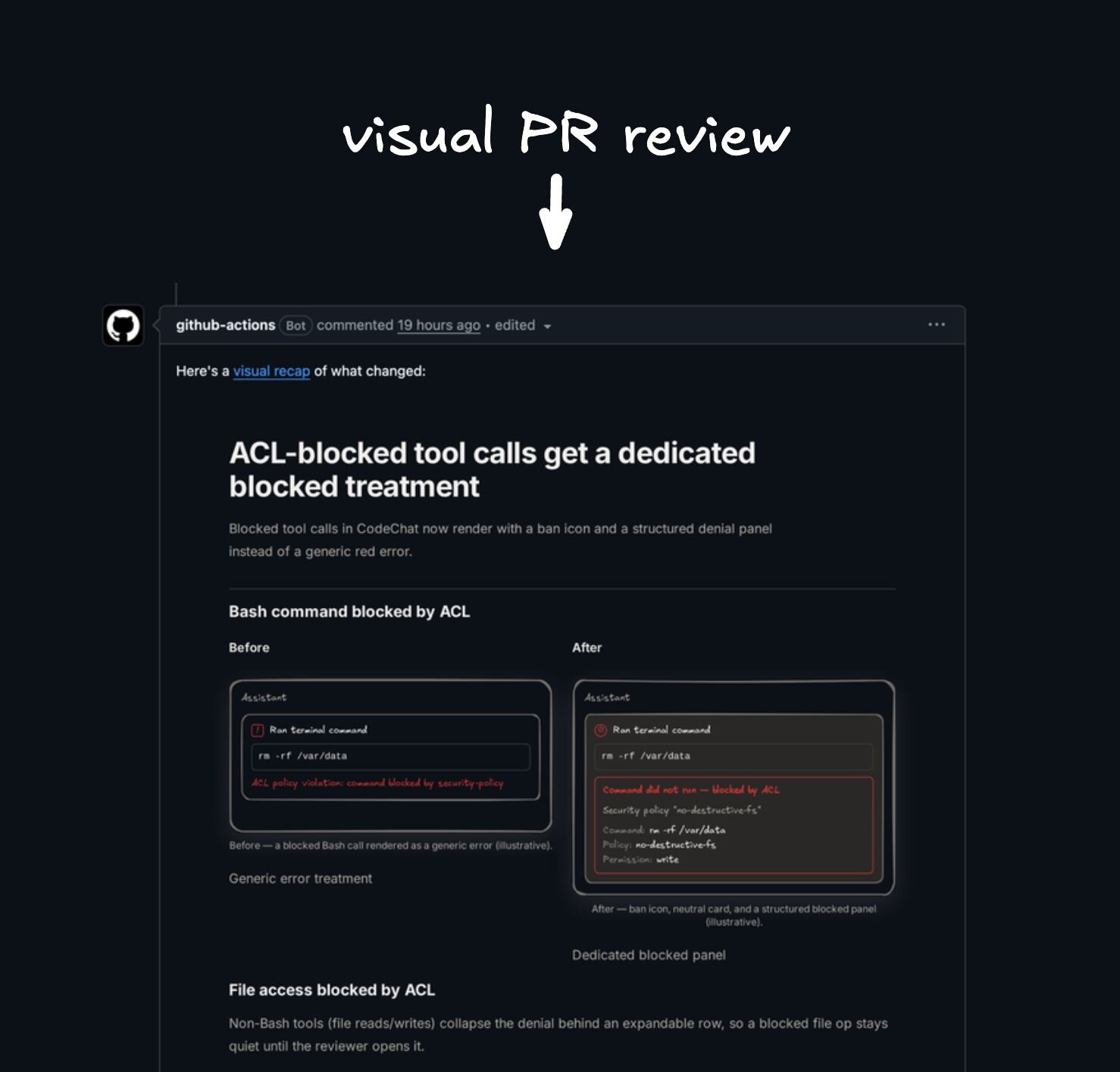 - Network accessline 87
 - Network accessline 102
The skill expects the [Plan MCP connector](https://www.agent-native.com/docs/template-plan) - Network accessline 102
The skill expects the [Plan MCP connector](https://www.agent-native.com/docs/template-plan)
skills/visual-recap/SKILL.md
- Network accessline 264
A recap lives only in the database of the MCP that created it. A separately running local dev server (e.g. `http://localhost:8081`) has its OWN database and - Network accessline 264
A recap lives only in the database of the MCP that created it. A separately running local dev server (e.g. `http://localhost:8081`) has its OWN database and - Network accessline 265
running local dev server (e.g. `http://localhost:8081`) has its OWN database and - Network accessline 265
running local dev server (e.g. `http://localhost:8081`) has its OWN database and - Network accessline 273
`visualUrl` in the returned `plan.mdx` frontmatter, else `url`/`path` resolved against the MCP server's own origin (for the hosted MCP that is `https://plan.agent-native.com`). This always points at the database that has - Network accessline 273
`visualUrl` in the returned `plan.mdx` frontmatter, else `url`/`path` resolved against the MCP server's own origin (for the hosted MCP that is `https://plan.agent-native.com`). This always points at the database that has - Network accessline 274
resolved against the MCP server's own origin (for the hosted MCP that is `https://plan.agent-native.com`). This always points at the database that has the plan. - Network accessline 274
resolved against the MCP server's own origin (for the hosted MCP that is `https://plan.agent-native.com`). This always points at the database that has the plan. - Network accessline 275
`https://plan.agent-native.com`). This always points at the database that has - Network accessline 275
`https://plan.agent-native.com`). This always points at the database that has - Network accessline 277
2. Use a `localhost`/dev origin ONLY when the recap was created through a Plan MCP bound to that same origin — i.e. that MCP's url is `http://localhost:<port>/mcp`. Creating through the hosted MCP - Network accessline 277
2. Use a `localhost`/dev origin ONLY when the recap was created through a Plan MCP bound to that same origin — i.e. that MCP's url is `http://localhost:<port>/mcp`. Creating through the hosted MCP - Network accessline 278
MCP bound to that same origin — i.e. that MCP's url is `http://localhost:<port>/mcp`. Creating through the hosted MCP and linking to localhost is the exact mismatch that 404s. - Network accessline 278
MCP bound to that same origin — i.e. that MCP's url is `http://localhost:<port>/mcp`. Creating through the hosted MCP and linking to localhost is the exact mismatch that 404s. - Network accessline 279
`http://localhost:<port>/mcp`. Creating through the hosted MCP - Network accessline 279
`http://localhost:<port>/mcp`. Creating through the hosted MCP - Network accessline 280
and linking to localhost is the exact mismatch that 404s. 3. If only a plan id is available, build the MCP origin's absolute URL (hosted: `https://plan.agent-native.com/plans/<id>`) and say it was inferred. - Network accessline 280
and linking to localhost is the exact mismatch that 404s. 3. If only a plan id is available, build the MCP origin's absolute URL (hosted: `https://plan.agent-native.com/plans/<id>`) and say it was inferred. - Network accessline 282
(hosted: `https://plan.agent-native.com/plans/<id>`) and say it was inferred. - Network accessline 282
(hosted: `https://plan.agent-native.com/plans/<id>`) and say it was inferred. - Network accessline 285
hosted MCP, say so plainly: the local dev server cannot see it. To view a recap on localhost (e.g. to exercise un-deployed local renderer changes), they must connect a LOCAL Plan MCP (`http://localhost:<port>/mcp`) and - Network accessline 285
hosted MCP, say so plainly: the local dev server cannot see it. To view a recap on localhost (e.g. to exercise un-deployed local renderer changes), they must connect a LOCAL Plan MCP (`http://localhost:<port>/mcp`) and - Network accessline 286
on localhost (e.g. to exercise un-deployed local renderer changes), they must connect a LOCAL Plan MCP (`http://localhost:<port>/mcp`) and re-create the recap through it so it lands in the local database; offer to do - Network accessline 286
on localhost (e.g. to exercise un-deployed local renderer changes), they must connect a LOCAL Plan MCP (`http://localhost:<port>/mcp`) and re-create the recap through it so it lands in the local database; offer to do - Network accessline 287
connect a LOCAL Plan MCP (`http://localhost:<port>/mcp`) and - Network accessline 287
connect a LOCAL Plan MCP (`http://localhost:<port>/mcp`) and
skills/visual-recap/references/connection.md
- Network accessline 34
- **Codex / Codex Desktop:** run `npx -y @agent-native/core@latest reconnect https://plan.agent-native.com --client codex` - Network accessline 34
- **Codex / Codex Desktop:** run `npx -y @agent-native/core@latest reconnect https://plan.agent-native.com --client codex` - Network accessline 35
`npx -y @agent-native/core@latest reconnect https://plan.agent-native.com --client codex` - Network accessline 35
`npx -y @agent-native/core@latest reconnect https://plan.agent-native.com --client codex`
skills/visual-recap/references/local-files.md
- Network accessline 76
is `false`, verify used the offline lint because the app URL was remote or the local Plan app was unavailable. Run a local Plan app and pass `--app-url http://localhost:8096` for the authoritative check. If the browser hangs on - Network accessline 76
is `false`, verify used the offline lint because the app URL was remote or the local Plan app was unavailable. Run a local Plan app and pass `--app-url http://localhost:8096` for the authoritative check. If the browser hangs on - Network accessline 77
local Plan app was unavailable. Run a local Plan app and pass `--app-url http://localhost:8096` for the authoritative check. If the browser hangs on "Loading plan", fetch the `bridgeUrl` from the verify/serve JSON to read the - Network accessline 77
local Plan app was unavailable. Run a local Plan app and pass `--app-url http://localhost:8096` for the authoritative check. If the browser hangs on "Loading plan", fetch the `bridgeUrl` from the verify/serve JSON to read the - Network accessline 78
`--app-url http://localhost:8096` for the authoritative check. If the browser hangs on "Loading plan", fetch the `bridgeUrl` from the verify/serve JSON to read the concrete validation error. - Network accessline 78
`--app-url http://localhost:8096` for the authoritative check. If the browser hangs on "Loading plan", fetch the `bridgeUrl` from the verify/serve JSON to read the concrete validation error.
skills/webmcp/README.md
- Network accessline 72
1. Open `Customize` > `Plugins` > `Add marketplace` in Cowork. 2. Enter `BuilderIO/skills` (or `https://github.com/BuilderIO/skills`). - Network accessline 72
1. Open `Customize` > `Plugins` > `Add marketplace` in Cowork. 2. Enter `BuilderIO/skills` (or `https://github.com/BuilderIO/skills`). - Network accessline 73
2. Enter `BuilderIO/skills` (or `https://github.com/BuilderIO/skills`). - Network accessline 73
2. Enter `BuilderIO/skills` (or `https://github.com/BuilderIO/skills`).
How the signals fit together
Facts from a static read of the files at the pinned commit. They describe what the code does, not why.
Some files could not be read; the facts below still hold.
Signal confidence: 306 facts
- Network access in prose of the SKILL.mdskills/an/SKILL.md:82Low confidence
- Network access in prose of the SKILL.mdan/SKILL.md:82Low confidence
- Network access in prose of the SKILL.mdskills/an/SKILL.md:83Low confidence
- Network access in prose of the SKILL.mdan/SKILL.md:83Low confidence
- Network access in prose of the SKILL.mdskills/factory-babysit-pr/SKILL.md:19Low confidence
- Network access in prose of the SKILL.mdfactory-babysit-pr/SKILL.md:19Low confidence
- Network access in prose of the SKILL.mdskills/factory-babysit-pr/SKILL.md:20Low confidence
- Network access in prose of the SKILL.mdfactory-babysit-pr/SKILL.md:20Low confidence
- Network access in prose of the SKILL.mdskills/factory-babysit-pr/SKILL.md:21Low confidence
- Network access in prose of the SKILL.mdfactory-babysit-pr/SKILL.md:21Low confidence
- Network access in prose of the SKILL.mdskills/factory-recover/SKILL.md:14Low confidence
- Network access in prose of the SKILL.mdfactory-recover/SKILL.md:14Low confidence
- Network access in prose of the SKILL.mdskills/factory-recover/SKILL.md:15Low confidence
- Network access in prose of the SKILL.mdfactory-recover/SKILL.md:15Low confidence
- Network access in prose of the SKILL.mdskills/factory-review-prs/SKILL.md:14Low confidence
- Network access in prose of the SKILL.mdfactory-review-prs/SKILL.md:14Low confidence
- Network access in prose of the SKILL.mdskills/factory-review-prs/SKILL.md:15Low confidence
- Network access in prose of the SKILL.mdfactory-review-prs/SKILL.md:15Low confidence
- Network access in prose of the SKILL.mdskills/factory-review-prs/SKILL.md:16Low confidence
- Network access in prose of the SKILL.mdfactory-review-prs/SKILL.md:16Low confidence
- Network access in prose of the SKILL.mdskills/factory-ship/SKILL.md:14Low confidence
- Network access in prose of the SKILL.mdfactory-ship/SKILL.md:14Low confidence
- Network access in prose of the SKILL.mdskills/factory-ship/SKILL.md:16Low confidence
- Network access in prose of the SKILL.mdfactory-ship/SKILL.md:16Low confidence
- Network access in prose of the SKILL.mdskills/factory-watchdog/SKILL.md:14Low confidence
- Network access in prose of the SKILL.mdfactory-watchdog/SKILL.md:14Low confidence
- Network access in prose of the SKILL.mdskills/factory-watchdog/SKILL.md:15Low confidence
- Network access in prose of the SKILL.mdfactory-watchdog/SKILL.md:15Low confidence
- Network access in prose of the SKILL.mdskills/factory/SKILL.md:23Low confidence
- Network access in prose of the SKILL.mdfactory/SKILL.md:23Low confidence
- Network access in prose of documentationskills/rewind/README.md:10Low confidence
- Network access in prose of documentationrewind/README.md:10Low confidence
- Network access in prose of documentationskills/rewind/README.md:35Low confidence
- Network access in prose of documentationrewind/README.md:35Low confidence
- Network access in prose of documentationskills/rewind/README.md:36Low confidence
- Network access in prose of documentationrewind/README.md:36Low confidence
- Network access in prose of documentationskills/rewind/README.md:37Low confidence
- Network access in prose of documentationrewind/README.md:37Low confidence
- Network access in prose of documentationskills/rewind/README.md:78Low confidence
- Network access in prose of documentationrewind/README.md:78Low confidence
- Network access in prose of documentationskills/rewind/README.md:79Low confidence
- Network access in prose of documentationrewind/README.md:79Low confidence
- Network access in prose of documentationskills/rewind/README.md:88Low confidence
- Network access in prose of documentationrewind/README.md:88Low confidence
- Network access in prose of documentationskills/rewind/README.md:89Low confidence
- Network access in prose of documentationrewind/README.md:89Low confidence
- Network access in prose of the SKILL.mdskills/rewind/SKILL.md:29Low confidence
- Network access in prose of the SKILL.mdrewind/SKILL.md:29Low confidence
- Network access in prose of the SKILL.mdskills/rewind/SKILL.md:30Low confidence
- Network access in prose of the SKILL.mdrewind/SKILL.md:30Low confidence
and 256 more
Works with
| Agent | Status | Evidence | Install to |
|---|---|---|---|
| Claude Code | Native | Manifest .claude-plugin/marketplace.json | .claude/skills/<skill-name>/ |
| Codex | Compatible | Standard SKILL.md skills/agent-watchdog/SKILL.md | .agents/skills/<skill-name>/ |
| Cursor | Compatible | Standard SKILL.md skills/agent-watchdog/SKILL.md | .cursor/skills/<skill-name>/ |
| Gemini CLI | Compatible | Standard SKILL.md skills/agent-watchdog/SKILL.md | .gemini/skills/<skill-name>/ |
| GitHub Copilot | Compatible | Standard SKILL.md skills/agent-watchdog/SKILL.md | .github/skills/<skill-name>/ |
| OpenCode | Compatible | Standard SKILL.md skills/agent-watchdog/SKILL.md | .opencode/skills/<skill-name>/ |
- Native The repository ships a manifest, folder or frontmatter field for this agent.
- Compatible A standard SKILL.md that this agent can read.
- Unknown No evidence either way.
Derived automatically from paths, manifests and frontmatter. Not tested on each agent.
Explore alternatives and comparisons
Add this badge to your README
It updates every night and links to this page.

[](https://hotskills.dev/skill/builderio-skills/)